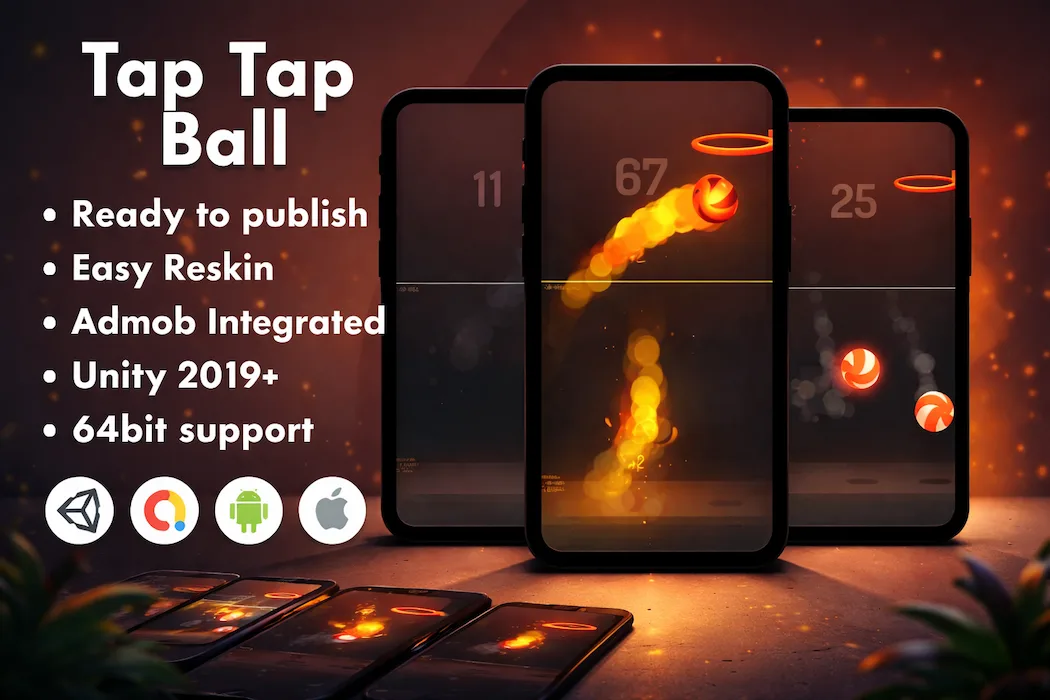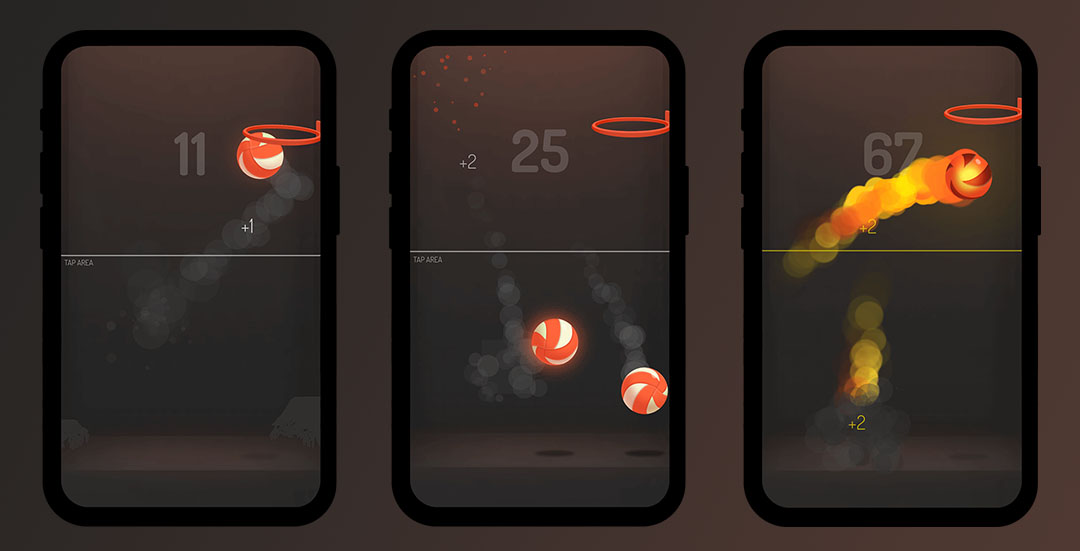

You tap, the ball moves, and one wrong tap ends the run — that's the entire premise behind Tap Tap Ball, a finished Unity project built around the kind of dead-simple, endlessly replayable mechanic that has powered some of the biggest hits in casual mobile gaming.
There's no tutorial to sit through and no learning curve to climb. A new player understands the controls within two seconds of opening the app, which is exactly the kind of instant-comprehension design that keeps install-to-first-session drop-off low and session counts high.
It's tempting to assume a one-tap control scheme is an easy template to overlook, but the value here isn't complexity — it's polish. Every tap needs to feel precise. Every bit of ball movement needs to feel weighty and satisfying rather than floaty or unresponsive. That's the difference between a one-tap game that gets fifteen seconds of attention and one that gets fifteen replayed runs in a row.
This project's control system was tuned with exactly that responsiveness in mind, which is the single biggest lever for retention in any minimalist mobile game. Players don't come back because a game is deep — they come back because the core loop feels good to repeat, and this one is built specifically to chase that "just one more try" pull.
This isn't a partial prototype or a rough proof-of-concept — it's a complete, structured Unity project ready for a developer to take over:
If you want to see the gameplay before committing, there's a live preview available here that shows the core loop in action.
The workflow here is intentionally short. Import the project into Unity, spend a little time getting familiar with how the folders and scripts are organized, and you're ready to start making it your own — new ball designs, new path styles, a new color scheme, reworked UI. None of that requires touching the underlying mechanics.
Once your visual pass is done, plug in your AdMob account details, run a build, and you're set to publish directly to your platform of choice. There's no lengthy setup phase standing between you and a submittable build.
The base template is deliberately built to be extended rather than treated as a finished, unchangeable product. Once you've got the core game running the way you want, there's plenty of room to push it further — new path layouts, moving obstacles that force sharper reflexes, a level-based progression system instead of pure endless mode, or extra visual polish through particle effects and animation. Each of these additions helps a simple mechanic stand out in a genre where dozens of near-identical clones compete for the same install traffic.
This particular project tends to suit a few specific kinds of developers especially well:
If you're looking for the highest-leverage improvements to make once you've got the base build running, a few consistently move the needle in games built around this kind of mechanic:
Do I need advanced Unity experience to work with this template? No. The project is structured cleanly enough that a developer with basic Unity familiarity can navigate it, and it's genuinely used by people learning Unity through a real, working example rather than starting from an empty scene.
What Unity version does this project require? It's built for Unity Free License, version 2019 or newer, with the current build tested on Unity 2019.4.22f1. It's good practice to open it in a matching editor version first before upgrading, to avoid unexpected compatibility issues.
Can I publish this on both Android and iOS? Yes. The project supports both platforms. For iOS builds specifically, you'll need Xcode and a macOS machine, which is standard for any iOS Unity build regardless of the source template.
Is monetization already set up, or do I need to integrate it myself? AdMob support is already integrated, covering both interstitial and rewarded ad placements. You'll need to plug in your own AdMob account details, but the integration work itself is already done.
How much customization is realistically expected before I publish? At minimum, most developers will want to rework the visual identity — ball design, path styling, color palette, and UI — before publishing, since launching the stock visuals as-is will look identical to any other buyer's build. Deeper mechanic changes are optional but not required to have a shippable game.
Is this a good fit if I want to build multiple game variants from one base? Yes — this is actually one of the more common use cases. Because the core mechanic is simple and the code is easy to navigate, it's a reasonable base for producing several distinct reskins rather than just one single release.
What support is included with the purchase? Regular license purchases include three months of support and future updates, while the extended license includes six months of support along with the extended usage rights. Additional add-ons are available if you need publishing help, app store optimization, custom branding, or a full professional reskin.
Where do I go if I run into a technical issue? You can reach the support team directly through Unity Source Code's Team contact for setup or technical questions.
If Tap Tap Ball isn't quite the right genre fit, or you're building out a wider catalog of casual titles, a few other templates from the same source are worth a look:
You can also browse the full Unity games collection or check what's currently topping the bestseller Unity game source codes list.
It's fair to ask whether a genre this simple still has room to succeed when app stores are saturated with casual titles. The honest answer is that simplicity is exactly what continues to make this category resilient. Complex games ask for a time commitment before a player even knows if they'll enjoy it. One-tap mechanics ask for almost nothing — a single glance at the screen is enough to understand the entire game, which dramatically lowers the barrier between "saw the store listing" and "actually opened the app."
That low barrier matters even more once you factor in how mobile users actually behave. Most casual sessions happen in short bursts — waiting in line, between meetings, during a commute — and a game that can deliver a complete, satisfying loop in under thirty seconds fits naturally into that behavior in a way that longer-form games simply can't. Tap Tap Ball's structure is built around exactly that kind of bite-sized engagement.
Because the mechanic itself is intentionally minimal, a lot of the actual differentiation between your release and a competitor's happens at the store listing level — not inside the game. A few things worth prioritizing once you're ready to publish:
None of this requires new engineering work — it's presentation, and it's often the difference between a technically solid build that underperforms and one that finds real traction.
Tap Tap Ball isn't trying to be a complicated game — that's the entire point. It's a tightly built, already-polished one-tap mechanic with monetization wired in, cross-platform compatibility handled, and a codebase clean enough to reskin quickly. For developers who want a fast, low-risk path to a published, revenue-generating casual game, this template gets you most of the way there before you've written a single line of new code.
You need to login to comment!
Total Sold:
0
Total Comments: