
Product Overview
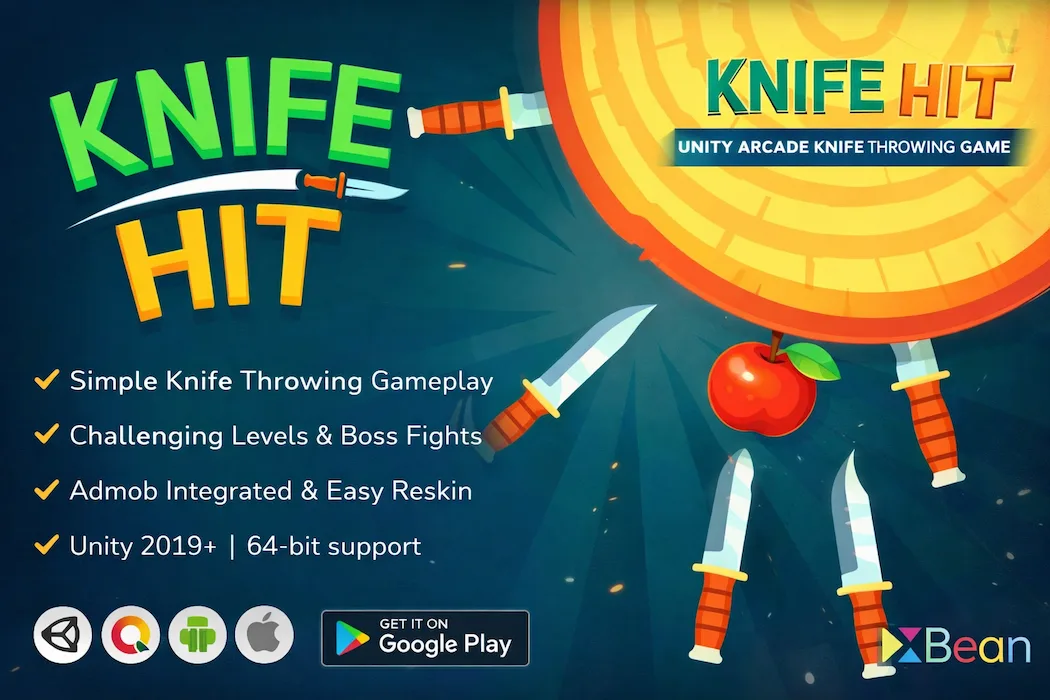
Knife Hit Arcade Game Template for Unity is a complete, production-ready mobile game source code package. It replicates the mechanics of one of the most downloaded arcade games in mobile history — precision knife throwing at rotating targets — and wraps it in a clean, well-structured Unity project you can customise, reskin, and publish under your own brand.
The template is engineered for high retention and strong ad revenue. Every friction point — a failed throw, a cleared level, a boss encounter — is a natural monetisation moment. The codebase is lean enough for beginners to understand on day one, and flexible enough for experienced developers to extend in any direction. If you are looking for an arcade game template that is genuinely ready to ship, this is it.
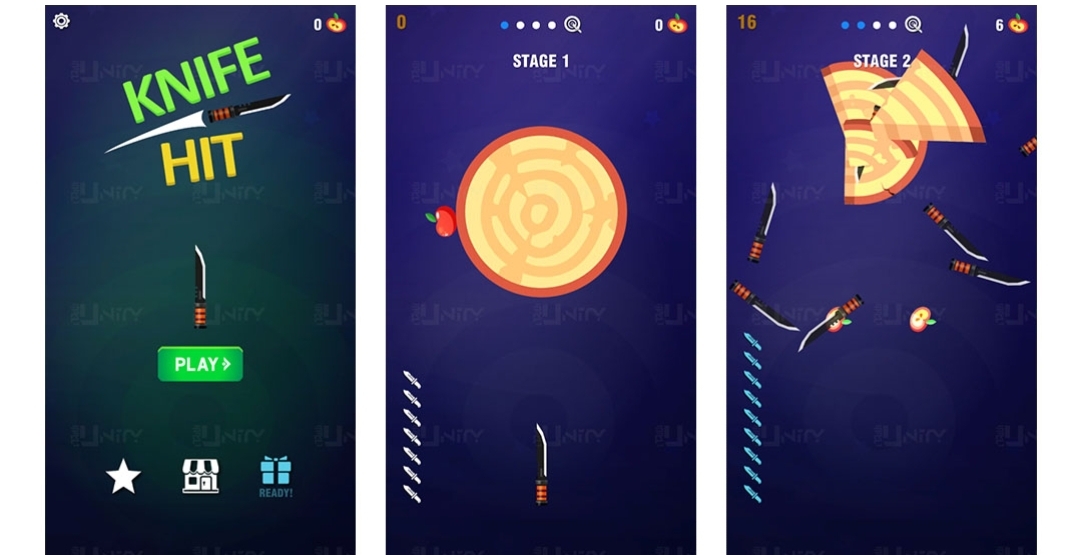
Arcade games succeed because of their simplicity, and Knife Hit follows this formula perfectly. The gameplay is easy to understand but difficult to master, making it highly addictive for mobile users.
Players must carefully time their throws and hit the rotating object without touching previously placed knives. As levels progress, speed increases and patterns become more complex, creating a continuous challenge.
This type of gameplay loop keeps players engaged and encourages repeated attempts to beat their best score.
The mechanics are designed to be intuitive while still offering depth as difficulty increases.
The combination of timing and accuracy creates a rewarding experience that keeps players coming back.
Setup Guide
From purchase to a running Unity project in under 10 minutes. Follow these four steps exactly and you will have the game running in the Unity Editor — with ads configured — before your next coffee break.
Complete your purchase on Unity Source Code. A download link is sent immediately to your registered email. You will receive a single .zip archive containing the full Unity project — all scenes, scripts, assets, and documentation.
knife-hit-unity-source-code.zip
Extract the archive to a permanent location on your machine. Open Unity Hub, click "Add project from disk", and select the extracted project folder. Ensure you have Unity 2019.4.30f1 or later installed — a free Unity personal licence is sufficient.
Unity Hub → Add → Select extracted folder
Before your first build, replace the placeholder Ad Unit IDs inside AdsManager.cs with your real Google AdMob credentials. This activates rewarded video ads, interstitial ads, and the banner unit on your first real device run.
Assets / Scripts / AdsManager.cs → replace APP_ID, REWARDED_ID, INTERSTITIAL_ID, BANNER_ID
Switch the build target to Android in File → Build Settings. Set your unique package name, version number, and app icon. For iOS, switch the platform to iOS and build via Xcode 12+ on macOS. The project ships with optimised graphics settings — no additional performance tuning required.
File → Build Settings → Android (or iOS) → Build
Gameplay Guide
The control scheme is intentionally minimal — one input, one action. But mastering the rhythm of the rotating targets takes skill, and that gap between "easy to start" and "hard to master" is precisely what drives replay sessions and rewarded ad engagement.
🎯
One tap sends a knife flying toward the spinning target. No swipe, no aim — just tap. The simplicity is intentional; it removes friction and lets players focus entirely on timing.
🔄
Once a knife sticks, it rotates with the wheel. Every subsequent throw must land in a clean gap. The number of occupied gaps increases each level, so the target becomes progressively harder to hit safely.
⚡
Targets speed up as levels progress and may reverse direction mid-spin without warning. Reading the rhythm before committing to a throw is the core skill that separates high scorers from casual players.
👹
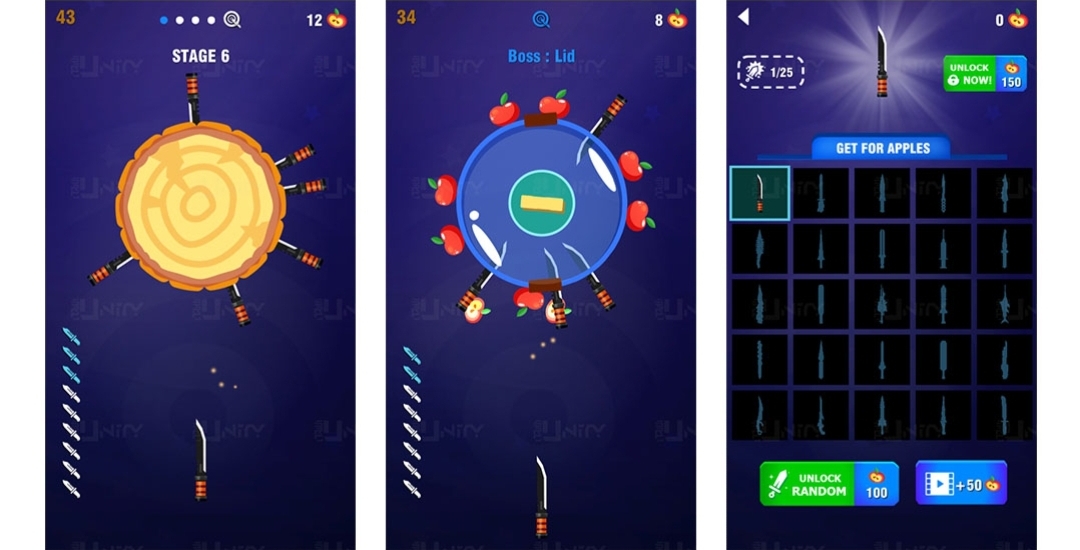
Every few stages, a boss target appears with a distinct movement pattern — fast pulses, sudden reversals, or complex oscillations. Clearing a boss unlocks the next stage and awards bonus rewards.
🍎
Apples rotate with the wheel and can be collected by landing a knife directly on them. High risk, high reward — missing the apple often means hitting an existing knife.
📺
After a miss, players can choose to watch a short ad and continue from the same level. This is the highest-eCPM placement in the game because the player opts in at peak motivation.
Arcade-style games have consistently performed well in the mobile market because they are quick to play and easy to understand. They are perfect for short sessions, which makes them ideal for modern users.
Games like this often go viral because:
If you’re exploring other engaging gameplay styles, you can also look at puzzle-based mechanics like Color Blast Mania – Match Puzzle Game for a different type of player experience.
Technical Specifications
Do I need a paid Unity licence to use this template?
No. Unity's free Personal licence is fully compatible with this project. You only need a paid Unity Pro licence if your company earns over $200,000 USD annually — Unity's own terms govern this threshold, not our template.
Can I publish the game under my own name and brand?
Yes. The Regular Licence allows you to publish one commercial product under your own brand on the Google Play Store and Apple App Store. You retain full ownership of your published game.
Does this template include AdMob integration?
Yes. Rewarded video ads, interstitial ads, and banner ads are all pre-integrated using the Google Mobile Ads Unity Plugin. Replace the placeholder IDs in AdsManager.cs with your own AdMob credentials before your first build.
Can I build for iOS without a Mac?
No. iOS builds always require macOS and Xcode — this is Apple's requirement, not ours. Android builds can be produced from Windows, macOS, or Linux without any additional tools.
How long does it take to go from purchase to a live game?
For developers already familiar with Unity and AdMob setup, 4–8 hours is realistic for a basic reskin and first store submission. First-time Unity developers should allow 1–2 days to work through the setup guide and Unity's publishing documentation.
Is technical support available after purchase?
Yes. Three months of technical support is included with every Regular Licence purchase. Extended 6-month support is available via the Extended Licence. Contact the team on Teams (Skype ID: Unity Source Code) or WhatsApp (+91 98835 09963).
Practical, experience-driven articles on building, monetising, and launching Unity mobile games. Written by developers who have shipped real products to real app stores.
More high-retention Unity game templates across puzzle, idle, strategy, and arcade genres. All include source code, AdMob integration, and publishing support.
This Unity project is built with clean and organized code, making it easy to understand and modify.
Even if you are new to Unity, you can quickly get started and launch your game.
Arcade games continue to dominate app stores due to their simplicity and addictive nature. They require minimal learning curve and appeal to a wide audience.
With the right optimization and marketing, games like Knife Hit can achieve:
Knife Hit Arcade Game Template for Unity is a powerful and flexible solution for developers who want to build a high-retention mobile game. With its simple mechanics, smooth performance, and strong monetization potential, it provides everything needed to create a successful arcade experience.
If you’re looking for an easy-to-launch and scalable Unity game, this template is an excellent choice for entering the mobile gaming market.
Requirements :
Unity free license version 2019 or later
macOS and Xcode for build iOS
Current version –
Unity 2019.4.30f1
Contact us on skype for technical help
Skype ID: Unity Source Code
Don’t forget to review us!
You need to login to comment!
Total Sold:
0
Total Comments: