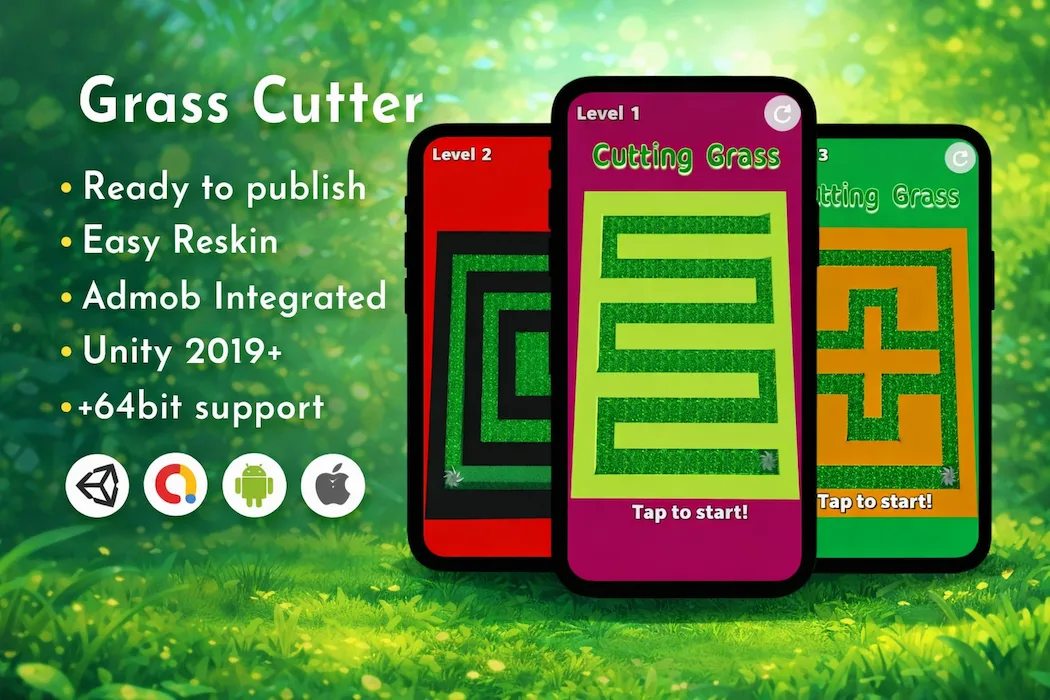

If you're looking for a Unity hyper-casual game template that's simple to understand, satisfying to play, and quick to launch, the Grass Cutter Unity Game Template delivers exactly that. This ready-to-publish Unity source code turns a straightforward cutting mechanic into an addictive mobile experience, complete with AdMob monetization and full reskin support for Android and iOS.
Hyper-casual games thrive on one principle: instant understanding. A player should know exactly what to do within the first three seconds of opening the game, with no tutorial required. Grass Cutter nails that principle — clear objectives, smooth controls, and a calming, repetitive loop that keeps players coming back between other tasks throughout their day.
Whether you're a solo indie developer, a growing game studio, or a freelancer delivering client projects, this Unity grass cutting game source code gives you a complete, tested foundation ready to reskin and publish.
Building a hyper-casual game from scratch might sound simple on paper, but even "simple" mechanics require solid groundwork — responsive touch controls, collision detection, level pacing, performance optimization across dozens of device types, and monetization wiring. Skipping any of these steps can quietly tank retention and revenue.
The Grass Cutter Unity source code removes that risk entirely. The cutting mechanics, level structure, and monetization hooks are already built, tested, and optimized for mobile hardware, so your team can spend its time on branding, marketing, and app store optimization instead of rebuilding a game engine from zero.
This is the exact reasoning behind our comparison in Unity source code vs. building a game from scratch — pre-built, quality-checked templates consistently shorten time-to-market while reducing technical risk, especially for teams working with limited development resources.
Grass Cutter keeps its gameplay loop intentionally simple, which is exactly what makes hyper-casual titles so widely accessible.
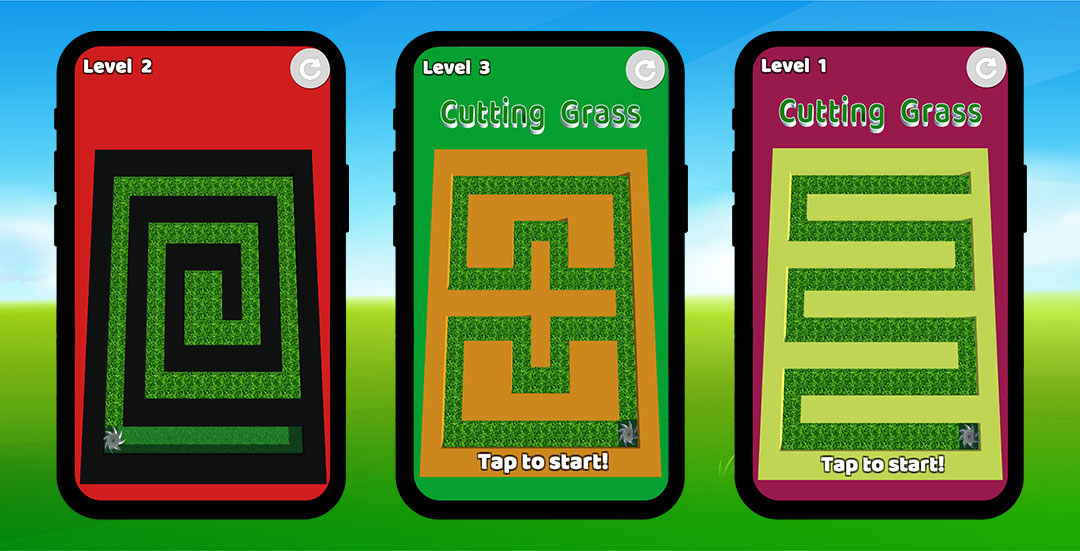
Cutting Mechanic: Players guide a cutting tool across the play area, trimming grass in its path. The controls are responsive and intuitive, requiring no explanation before players jump straight into the action.
Obstacle Navigation: Levels introduce obstacles that players must maneuver around while continuing to clear grass efficiently, adding just enough challenge to keep the experience engaging without becoming frustrating.
Level-Based Structure: Each stage presents a new layout and objective, encouraging players to complete "just one more level" — a core hook that drives strong session counts and daily retention in the hyper-casual genre.
Fast, Lightweight Performance: The build is optimized for quick load times and smooth frame rates, which matters enormously in a genre where players expect to be playing within seconds of opening the app.
This kind of pick-up-and-play accessibility is shared across other titles in our catalog, including the Fidget Spinner Unity Game Template, which uses a similarly minimal, instantly understandable control scheme to maximize casual appeal.
This is a complete, production-ready Unity project rather than a bare-bones demo. The package includes:
Everything needed to move from download to Play Store or App Store submission is already in place, minimizing the technical lift required before launch.
Hyper-casual games are built around short, frequent sessions — and that structure creates constant, natural opportunities to serve ads without disrupting the player experience. With AdMob already integrated into Grass Cutter, you can monetize through:
Because hyper-casual titles typically see very high session frequency, even modest ad impression rates per session can add up to significant revenue at scale — particularly once the game is reskinned and tested across multiple markets or ad networks.
If you're building a portfolio of similar fast, monetization-friendly titles, the Void Bounce Game in Unity and Helix Fruit Unity Game Template both follow the same quick-session, high-frequency monetization model that pairs well with this template.
Grass Cutter's design leans into a clean, calming visual style that appeals to a broad casual audience — including players looking for a low-pressure, satisfying game to fill short breaks in their day. The experience is built around:
This kind of approachable, satisfying design sensibility is also present in other titles in our library, such as the Finger Painting Unity Game Template, which uses a similarly calming, creative gameplay loop to appeal to a wide casual audience.
One of the biggest strengths of this Unity grass cutting template is how easily it can be reskinned into an entirely different game. The project is structured for flexible customization:
This flexibility makes the template just as useful for a fast weekend reskin as it is for a longer-term commercial release. If you're managing multiple reskin projects, the precision-based mechanics in the Perfect Slice 3D Unity Game offer another strong reference point for satisfying, skill-based hyper-casual design.
Beginner Developers who want a working, well-documented project to learn Unity's structure and mobile build pipeline hands-on.
Indie Developers aiming to launch a hyper-casual title quickly without spending weeks on core mechanics.
Game Studios looking to scale output efficiently by reskinning proven, tested templates rather than starting from zero each time.
Freelancers who deliver ready-made or customized games to clients and need a reliable, easily modifiable starting point.
Because the cutting mechanics, level system, and ad integration are already built and tested, teams of any experience level can move directly into customization and launch preparation.
To work with this Unity grass cutter template, you'll need:
Full setup documentation is included in the package, along with APK files so you can test the game before beginning any customization work.
If Grass Cutter isn't the exact fit you're looking for, or you want to build out a broader portfolio of quick-session, monetization-ready titles, these related Unity projects are worth exploring:
You can also browse the full products catalog to compare templates across genres and find the best fit for your next release.
The Grass Cutter Unity Game Template offers a complete, ready-to-publish solution for developers who want to enter the hyper-casual mobile market without the overhead of building core mechanics from scratch. With smooth cutting gameplay, integrated AdMob monetization, and a fully customizable codebase, it gives you everything needed to launch faster and start generating revenue sooner.
Whether you plan to publish it as-is, reskin it for a client project, or use it as a foundation for a more advanced hyper-casual title, this Unity source code provides a proven, tested starting point.
For any pre-purchase questions, visit our FAQs page, or reach out to our support team for guidance on customization and publishing.
The project requires Unity 2019 or newer, with a free Unity license being sufficient. The current build is tested on Unity 2019.4.22f1. For iOS builds, you'll also need macOS with Xcode installed.
Yes. The Grass Cutter Unity template comes with Google AdMob pre-integrated, supporting both interstitial and rewarded video ads, so you can start monetizing right after configuring your ad unit IDs.
Absolutely. The project is built for easy reskinning — you can swap out the grass-cutting visuals for a different theme entirely, adjust level difficulty, and update the UI without altering the core gameplay logic.
Yes, the Grass Cutter Unity source code is fully configured for cross-platform deployment on both Android and iOS, with performance optimized for a wide range of mobile devices.
Yes. The package includes documentation covering setup and configuration, making it accessible for developers with limited prior Unity experience. A basic understanding of the Unity Editor will still help with customization and reskinning.
A Regular License generally covers single-project use with a standard support window, while an Extended License offers a longer support period along with broader usage rights. Check the product page for current pricing and specific terms.
Yes. Since you receive the full, well-structured source code, you can extend the gameplay with new cutting tools, additional levels, obstacles, or entirely new mechanics as your project requires.
Support is available through the official Unity Source Code support channels listed on the product page, along with our general FAQs page for common setup and licensing questions.
Yes. You can explore related titles such as the Finger Painting Unity Game Template, Fidget Spinner Unity Game Template, Void Bounce Game in Unity, Helix Fruit Unity Game Template, and Perfect Slice 3D Unity Game, or browse the full products catalog.
Using a pre-built, tested Unity template significantly reduces development time and technical risk, letting you focus on branding, marketing, and launch rather than core programming. Our blog post on Unity source code vs. building a game from scratch breaks down this comparison in more detail.
You need to login to comment!
Total Sold:
0
Total Comments: