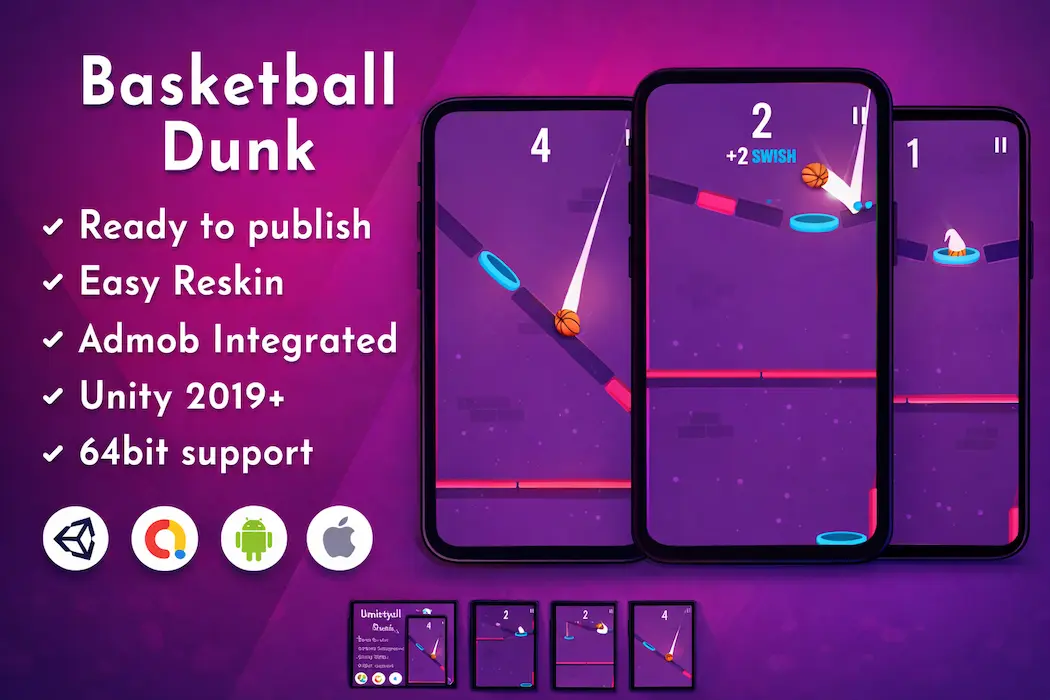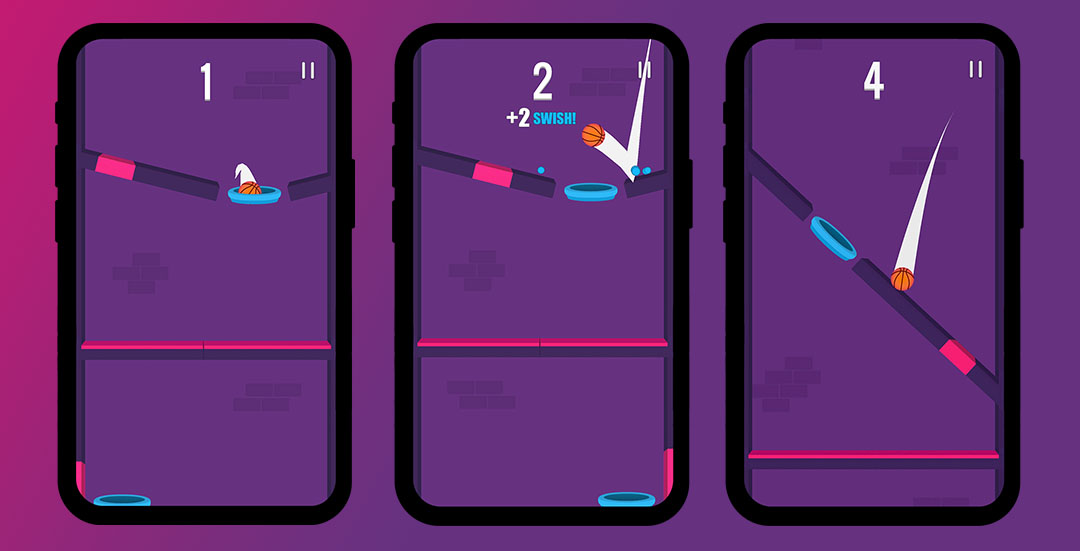

If you are searching for a ready-made, high-quality mobile game that you can launch quickly without spending months on development, the Basketball Dunk Unity Game Source Code is one of the smartest choices available today. Built entirely in Unity, this game template combines a simple one-tap control scheme with an addictive scoring loop that has made hyper-casual basketball games a favorite among mobile audiences worldwide.
Unlike complex projects that demand advanced coding skills, this Unity source code is designed for developers, students, and entrepreneurs of all experience levels. Whether you are a beginner exploring Unity game development for the first time or an experienced publisher looking to expand your app portfolio, this basketball dunk template gives you a strong foundation to build, customize, and publish your own branded mobile game.
In this detailed guide, we will walk through everything this game template offers — from its core gameplay mechanics and technical features to customization possibilities, monetization tools, and long-term scalability.
At its core, the Basketball Dunk Unity Game Template revolves around a single mechanic: tap at the right moment to make a perfect dunk. This "easy to learn, hard to master" design philosophy is exactly what makes hyper-casual games so successful in app stores today.
Players are drawn in by how simple it looks, but the real challenge comes from timing, rhythm, and precision. As players improve, they chase higher scores and longer combo streaks, which keeps session times high and encourages repeat play. This kind of gameplay loop is proven to work extremely well for player retention and ad-supported monetization models — two of the most important factors for any mobile game's success.
If you're interested in exploring other addictive, tap-based, or endless mobile game concepts, you might also want to check out the Cube Surfing Unity 3D Runner Game, which uses a similar fast-paced, reflex-driven approach but in a 3D endless runner format.
This Unity game package is packed with features that are ready to use right out of the box. Here's what you get:
These features make the Basketball Dunk Unity template a genuinely turnkey solution rather than a rough prototype that requires heavy rebuilding.
One of the biggest advantages of using a pre-built Unity source code package is the speed at which you can move from concept to a fully published game. Here's a simple breakdown of the typical workflow:
This structured workflow drastically cuts down development time compared to building a hyper-casual game completely from scratch. If you're new to Unity development and want to understand how ad monetization actually works technically, this guide on how to integrate AdMob into a Unity game template is an excellent companion resource.
While the Basketball Dunk Unity Game Source Code works perfectly well as a standalone product, it's also designed as a flexible base that you can build upon creatively. Developers looking to add more depth to the experience can consider:
These small additions can transform a simple hyper-casual template into a much more advanced and unique product, giving you a competitive advantage in a crowded app marketplace.
For developers who enjoy building on top of simple mechanics, the Dash Master 3D Unity Game Source Code is another great example of how a straightforward core loop can be expanded into a full-featured 3D experience.
The Basketball Dunk Unity Game Source Code is built to serve a wide range of use cases, making it a versatile pick regardless of your goals:
If you're just starting your journey in game development, working with a real, functioning gameplay system is one of the best ways to learn. You'll get hands-on experience with Unity's scene management, UI systems, and ad SDK integration — all inside a project that's already proven to work.
If you're testing hyper-casual game ideas or trying to validate a concept quickly, this template lets you skip the technical groundwork and focus on creative experimentation and marketing testing.
Freelance developers and job seekers can use this project as a base to showcase their reskinning, UI design, and Unity customization skills to potential clients or employers.
If you run a business reselling customized game templates, this source code gives you a proven, well-structured product that you can quickly modify and resell to multiple clients.
If you're exploring more beginner-friendly Unity projects to add to your learning path or portfolio, don't miss this roundup of the top 10 Unity game source codes for beginners in 2026.
Simply publishing the template as-is can work, but a few strategic enhancements can significantly boost player engagement and retention:
✅ Add Dynamic Obstacles – Moving hoops, wind effects, or shrinking targets can increase challenge and replay value.
✅ Introduce Score Multipliers – Combo-based multipliers encourage players to keep playing for higher scores.
✅ Enhance Visual Feedback – Particle effects, screen shake, and satisfying animations make every successful dunk feel rewarding.
✅ Optimize for All Devices – Test thoroughly across low-end and high-end devices to maintain consistent frame rates.
✅ Balance Ad Placement – Strategic rewarded ad placements can improve both user experience and revenue simultaneously.
These improvements don't require a complete overhaul of the game — small, targeted updates can make a meaningful difference in how players perceive and engage with your final product.
The hyper-casual mobile game genre thrives on variety, and having multiple game types in your portfolio can help you test which concepts resonate best with your target audience. Alongside Basketball Dunk, you might also consider titles like:
Diversifying your published game lineup with different mechanics and themes can help you reach broader audiences and identify which genres perform best for your specific marketing channels.
Before getting started with this project, make sure your development environment meets the following requirements:
The package includes APK files, complete documentation, and PNG assets, making it easy to review and test the game before diving into customization.
This Unity game source code is available under two licensing options to suit different business needs:
Additional services such as app store optimization, custom branding, full reskinning, and extended technical support are also available as add-ons, allowing you to scale your investment based on your specific publishing goals.
The Basketball Dunk Unity Game Source Code with AdMob Integration stands out as a well-rounded, ready-to-publish mobile game template built for speed, flexibility, and monetization. Its simple yet addictive one-tap gameplay mechanic, combined with clean source code and built-in ad integration, makes it an excellent choice for developers who want to move quickly from concept to a live app store listing.
Whether your goal is to learn Unity development, test a hyper-casual concept, build your professional portfolio, or launch a monetized mobile game, this template gives you everything you need to get started with confidence. With a bit of creative customization — new visuals, added challenges, or extra progression systems — you can easily turn this into a polished, unique product ready for both the Google Play Store and Apple App Store.
For developers interested in expanding their Unity project library further, exploring related titles like Cube Surfing, Crowd City, and Dash Master 3D can help round out a diverse and marketable game portfolio.
⚙️Requirements
Unity Free License (2019 or newer version)
macOS and Xcode for iOS builds
📱Current Version: Unity 2019.4.22f1
💁🏻♀️Reach us on Skype for Technical Help
Team ID: Unity Source Code
🌟🌟🌟🌟🌟Don’t forget to leave a review!
You need to login to comment!
Total Sold:
0
Total Comments: