

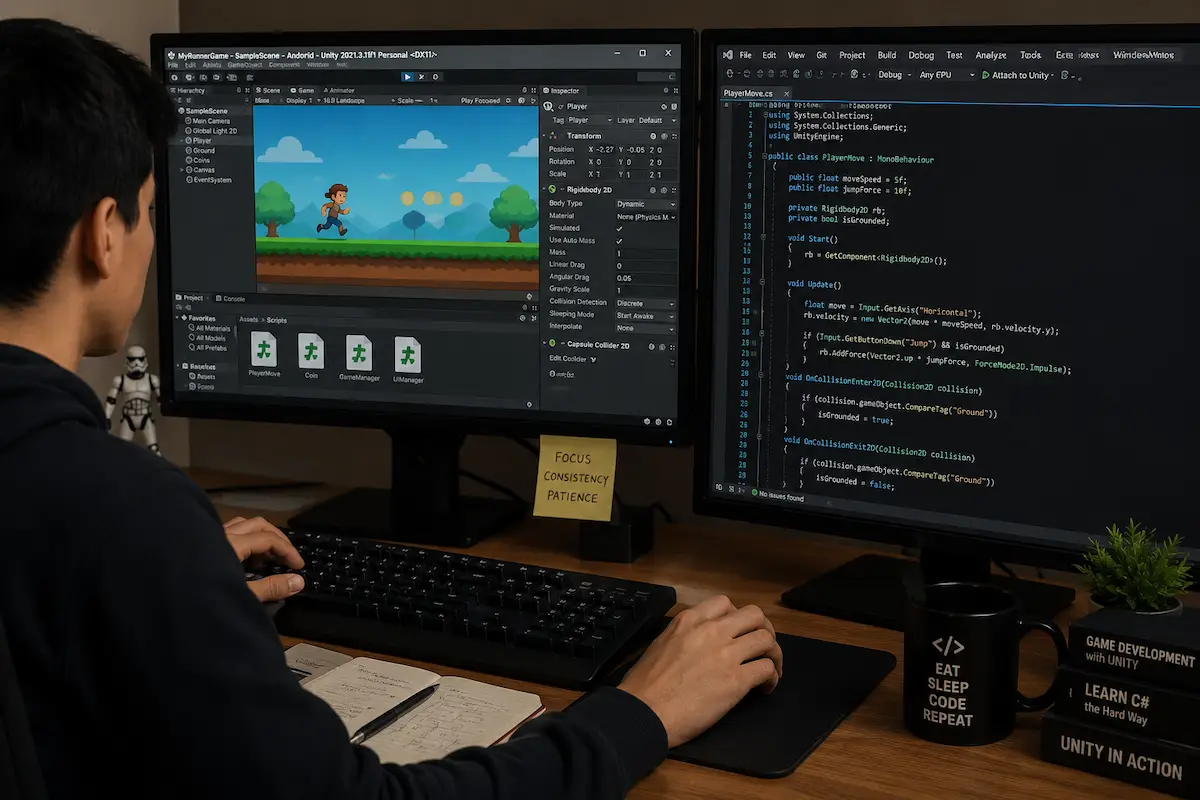
Starting your game development journey with Unity can feel overwhelming. Between learning C#, understanding game mechanics, building UI systems, and optimizing performance, many beginners struggle to create a complete game from scratch.
That's why studying and working with Unity source code projects has become one of the fastest ways to learn game development in 2026. Instead of spending months figuring out how professional games are structured, you can explore ready-made projects, understand real-world workflows, and modify existing systems to build your own games faster.
In this guide, you'll discover the best Unity source code projects for beginners, what skills each project teaches, how to choose the right template, common mistakes to avoid, and practical tips for accelerating your learning curve.
By reading this guide, you'll learn:
Why Unity source code projects are valuable for beginners
The best project categories to study in 2026
Which game templates provide the best learning experience
How to use source code projects effectively
Common mistakes new developers make
How to turn source code projects into publishable games
Whether you're interested in mobile games, casual games, or indie development, these projects can significantly reduce your learning time.
Before downloading and studying Unity source code projects, make sure you have:
You should understand:
Unity Editor navigation
Scenes and GameObjects
Components and Prefabs
Basic C# scripting
If you're completely new, start with some beginner-friendly Unity Tutorials before diving into larger projects.
Use the latest stable version of Unity Hub and install the recommended LTS version for better compatibility.
A code editor is essential for understanding scripts and modifying gameplay systems.
Don't simply copy and publish projects. The goal is to understand how systems work and learn professional development practices.
Hyper-casual games remain one of the best starting points for new developers.
Examples include:
Endless Runner
Stack Games
Color Matching Games
Ball Jump Games
These projects usually contain:
Simple gameplay loops
Basic UI systems
Score management
Game Over mechanics
Mobile optimization techniques
Studying these projects helps beginners understand core game architecture without becoming overwhelmed.
For developers interested in smartphone games, these projects provide a strong introduction to Mobile Game Development workflows.
Input handling
UI management
Scene transitions
Player movement systems
Basic monetization placement
Easy to understand
Fast learning curve
Quick modifications
Limited complexity
Fewer advanced systems
Puzzle games offer excellent opportunities to learn logic programming.
Popular examples include:
Match-3 Games
Tile Connect Games
Sudoku Systems
Word Puzzle Games
Puzzle projects teach developers how to:
Create game logic
Manage data structures
Build level progression systems
Save player progress
Many beginners discover that puzzle games improve their programming skills faster than action-based projects.
Algorithms
Game state management
Level design systems
Save systems
Modify existing puzzle mechanics rather than creating identical clones.
Idle games continue to dominate mobile stores because of their simple mechanics and strong monetization potential.
Popular templates include:
Clicker Games
Idle Mining Games
Restaurant Tycoons
Business Simulation Games
These projects introduce developers to systems commonly found in commercial games.
Resource management
Economy balancing
Offline rewards
Upgrade systems
Player retention mechanics
Many successful indie developers began by studying idle game templates before creating their own projects.
For monetization strategies, understanding Game Monetization techniques becomes extremely valuable when working with idle games.
While multiplayer development is more advanced, beginner-friendly source code projects can provide valuable exposure.
Examples include:
Multiplayer Racing Games
Simple Battle Games
Online Card Games
Casual PvP Games
Networking basics
Synchronization systems
Matchmaking concepts
Server communication
Many developers attempt multiplayer projects too early.
It's usually better to master single-player systems first before moving into networking.
One of the most effective ways to learn game development is by studying complete mobile-ready projects.
A quality Unity Game Template typically includes:
Main Menu
Settings
UI System
Ads Integration
Audio Management
Save System
Monetization Features
These projects show how professional developers structure real products.
Mobile games teach practical skills that directly translate into commercial game development.
You'll understand:
Performance optimization
Monetization workflows
User retention systems
Store-ready architecture
Developers interested in Android Game Development often gain significant experience through complete mobile templates.
Advertising remains one of the primary revenue sources for mobile games.
Projects that include Unity AdMob Integration provide valuable insight into real-world monetization.
Banner Ads
Interstitial Ads
Rewarded Video Ads
User experience considerations
Revenue optimization
Understanding ad implementation early can save developers significant time when preparing for release.
Study how ads are triggered and balanced without disrupting gameplay.
Once you've learned from several source code projects, the next step is understanding deployment.
A complete game project should teach:
Build Settings
Android Export
App Signing
Store Assets
Performance Testing
Studying projects that include publishing workflows can simplify your launch process.
Following a proper Unity Publishing Guide ensures your game meets store requirements before release.
Release management
Store compliance
App optimization
Testing procedures
Many beginners simply change graphics and publish.
This limits learning and often creates maintenance problems later.
Instead:
Read scripts carefully
Document systems
Experiment with modifications
Large MMORPG or advanced multiplayer projects can overwhelm new developers.
Start small and gradually increase complexity.
Professional projects reveal valuable architectural patterns.
Study:
Folder organization
Naming conventions
Script responsibilities
Many beginners focus solely on gameplay.
Learning Unity Optimization techniques early helps build better habits and improves user experience.
Keep notes while studying projects.
Document:
Key systems
Important scripts
Workflow improvements
This creates a personal knowledge base you'll use throughout your development career.
Learning Unity through source code projects remains one of the most effective approaches in 2026.
Rather than spending months trying to reinvent common systems, beginners can accelerate their growth by studying complete, real-world projects. Hyper-casual games, puzzle games, idle games, mobile templates, and monetization-ready projects all provide valuable insights into professional development workflows.
The key is not simply downloading a project but actively analyzing, modifying, and rebuilding its systems. Every project teaches something different—from UI architecture and optimization to monetization and publishing.
If you're serious about becoming a Unity developer, start with beginner-friendly projects, gradually increase complexity, and use quality Unity Source Code resources to understand how successful games are built from the inside out.
The faster you study complete projects, the faster you'll gain the confidence to create and publish your own games.
Unity source code refers to complete game projects that include scripts, assets, scenes, UI systems, and gameplay mechanics that developers can study, modify, and learn from.
Yes. Beginner-friendly projects provide practical examples of how real games are built and help developers learn faster than isolated tutorials.
Hyper-casual games and simple puzzle games are typically the easiest projects for new developers to understand.
Yes, but it's recommended to customize gameplay, assets, and features to create a unique product rather than publishing an unchanged template.
Most beginners benefit from studying 3–5 different project types because each teaches unique development concepts and workflows.



