
The Android gaming market generates over $50 billion in revenue annually, yet most independent developers never publish a single profitable game. The reason isn't talent — it's time and technical overhead. Building a game engine, UI system, monetization stack, and optimization pipeline from zero can take six months or more before a single player ever downloads your app.
That's exactly why ready-made Unity game source codes have become the go-to solution for smart mobile developers. Whether you're a solo indie, a small studio looking to ship faster, or a reseller building a game portfolio, a high-quality Unity template gives you a fully functional game you can customize, rebrand, and publish in a fraction of the time.
In this guide we break down the best ready-made Unity games for Android available in 2026, explain what separates good templates from bad ones, and give you a clear path from purchase to Google Play.
Mobile game development is more competitive than ever. App stores receive thousands of new games every week. Developers who iterate fastest — testing ideas, publishing quickly, gathering reviews, and optimizing — consistently outperform those who spend months perfecting a single build.
Ready-made Unity templates directly solve the speed problem. They come with:
✅ Real-world result: Developers using ready-made templates typically publish their first game within 3–7 days of purchase, compared to 3–6 months when building from scratch. That's 10–20x faster time-to-market.
For beginners, templates also serve as the best Unity learning resource available — real, production-quality code to study and modify rather than simplified tutorial examples. For more on learning with complete projects, see How to Learn Game Development Faster Using Complete Unity Projects.
⏱️
A complete game from scratch takes 4–8 weeks just for core systems. Ready-made templates compress this to days. Compare timelines in detail:
💸
AdMob integration, mediation, rewarded ads, and IAP wiring is technically demanding. Premium templates come pre-integrated — just swap in your publisher ID.
📱
Unoptimized games cause frame drops, crashes, and bad reviews. All templates on Unity Source Code are tested on real Android devices across mid-range and older hardware.
🚀
Google Play submission, store listing creation, and policy compliance take experience. Templates include pre-built APKs and documentation to streamline submission.
🎮
Gameplay design that keeps players coming back requires iteration. Starting from a proven game mechanic dramatically increases your baseline retention rate.
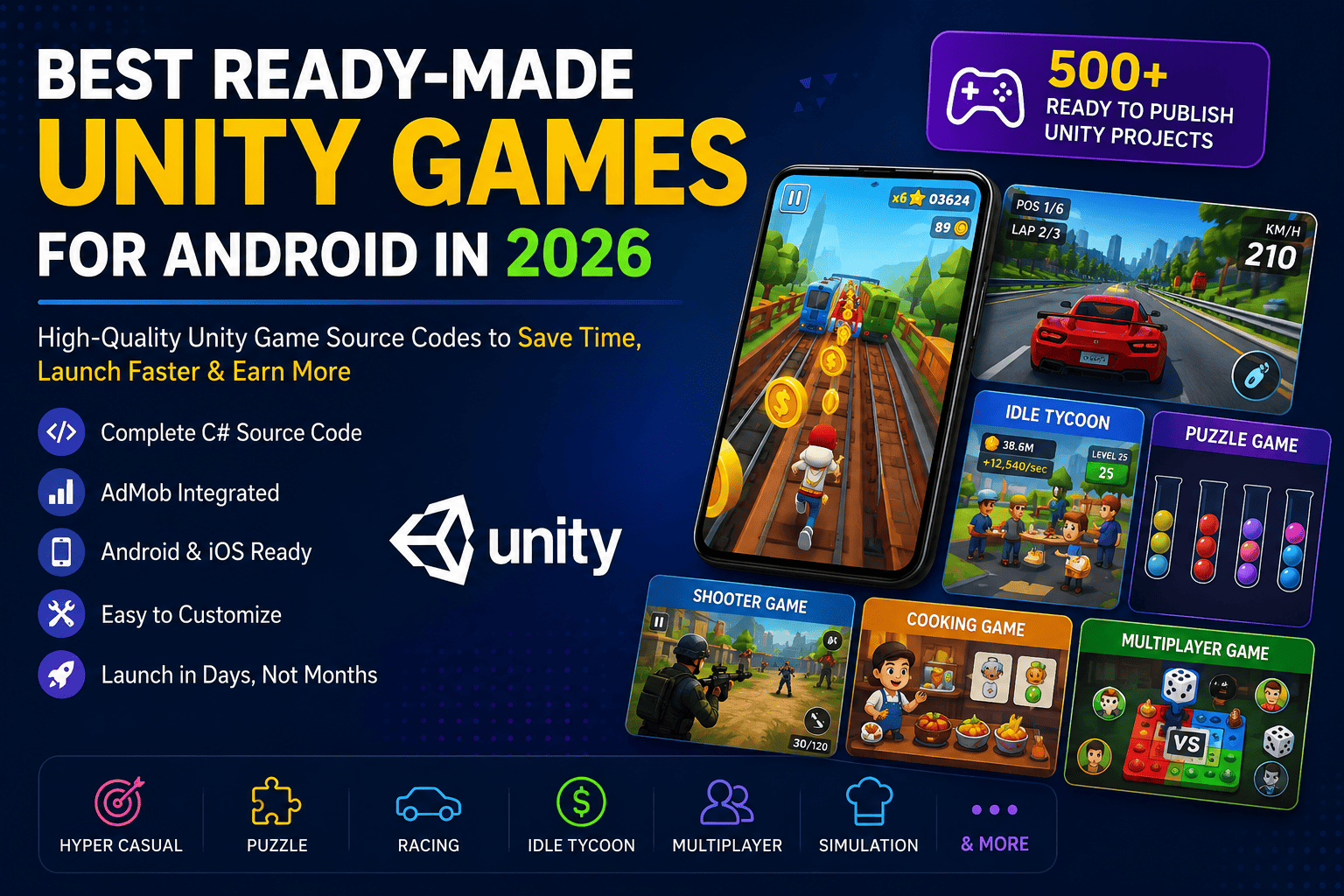
Not all game genres perform equally on the Play Store. Here are the categories with the strongest download and monetization performance in 2026:
Hyper casual remains the highest-volume genre for downloads. Simple tap mechanics, endless gameplay, and fast sessions make these ideal for AdMob revenue. They're also the easiest entry point for developers publishing their first game.
Popular hyper casual mechanics: tap-to-jump, stack building, color matching, runner games, and ball roll. Browse free hyper casual templates to get started at zero cost.
Puzzle games generate the best retention metrics of any mobile genre. Players return daily to complete levels, driving consistent ad impressions and strong lifetime value. Color sort, block sort, screw puzzle, and match-3 mechanics all perform well.
Top-performing puzzle titles to explore: Snake Escape Puzzle, Blocks Sort Puzzle, and Bird Sort Puzzle.
Racing games attract competitive players and generate strong in-app purchase revenue from car upgrades, skins, and nitro boosts. Unity racing templates typically include vehicle physics, AI opponents, and 3D environments. See our dedicated top racing game source codes guide for the full breakdown.
Idle games are the monetization powerhouse of mobile gaming. Players naturally watch rewarded ads to speed up progress, generating consistent revenue even when the app is idle. Factory simulators, restaurant tycoons, and market games perform especially well.
Best idle template: Idle Market Tycoon Unity Source Code — a 3D idle business game with full AdMob and IAP integration.
Real-time multiplayer is the fastest-growing segment in mobile gaming. Board games and casual competitive games drive engagement and social sharing. Ready-made multiplayer templates save weeks of complex networking work.
Popular multiplayer template: Ludo Online Multiplayer – Unity 3D Source Code with real-time play and payment gateway integration.
Cooking and simulation games attract a broad audience, especially women aged 18–35, one of the highest-spending demographics in mobile gaming. Cooking Live Unity Game Template is a ready-to-publish simulation game with full monetization.
Not all Unity templates are created equal. Use this checklist before purchasing:
Confirm the template includes pre-wired banner, interstitial, and rewarded ad placements. Setting these up manually is time-consuming and error-prone.
Always check which Unity LTS version the project was built and tested on. Opening an older project in a significantly newer version can cause deprecated API warnings and missing package references.
Well-named scripts, clear folder structure, and modular systems make customization faster and less risky. Messy code is a hidden cost you'll pay for every hour you spend in the project.
Ask whether the project was tested on real Android devices — not just the Unity editor. Frame rate, touch response, and ad loading behavior all behave differently on physical hardware.
A proper setup guide, AdMob configuration steps, and a build guide save hours. All templates at Unity Source Code include documentation and 3–6 months of developer support.
The best templates let you swap art assets, update colors, and change branding without touching a single line of C#. Look for centralized asset folders and clearly labeled UI prefabs.
A Regular License covers a single free-to-play app with ad monetization. If you're building a paid app or delivering to a client, you'll need an Extended License. When in doubt, contact support before purchasing.
Here's the proven workflow most developers follow after purchasing a Unity game template:
Day 1 – Download & Open the ProjectOpen in the Unity version listed on the product page. Run the project in the editor to confirm everything works before making any changes.
Day 2 – Replace Art AssetsSwap background images, character sprites, UI icons, and color themes. Use a consistent visual identity that matches your game's theme.
Day 3 – Update Sounds & MusicReplace sound effects and background music with royalty-free audio. Sites like Freesound.org and Pixabay offer great free options.
Day 4 – Connect AdMob & Update Package NameAdd your AdMob publisher ID, replace the default ad unit IDs, and update the Bundle Identifier to your unique app package name.
Day 5 – Test on Real DevicesBuild the APK and install on at least two physical Android devices — a mid-range and an older device. Fix any frame rate or UI scaling issues.
Day 6 – Create Store AssetsDesign an app icon, feature graphic, and at least 4 gameplay screenshots. Write a keyword-rich store listing description targeting your game's genre.
Day 7 – Submit to Google PlayUpload the signed APK or AAB, complete the content rating questionnaire, set pricing to free with ads, and submit for review. Approval typically takes 1–3 days.
⚠️ Important: Never submit a template with the original branding unchanged. Store submission rejections almost always happen because the app icon, package name, or store description still matches the original template. Full reskinning is required before submission.
| Factor | Ready-Made Template | Build From Scratch |
|---|---|---|
| Time to first playable build | ✔ 1–3 days | ✗ 4–8 weeks |
| AdMob integration | ✔ Pre-built | ✗ Manual setup required |
| Mobile optimization | ✔ Pre-tested | ✗ Requires expertise |
| Cost | ✔ $19–$299 one-time | ✗ Salary or freelancer costs |
| Learning value | ✔ Study real production code | ✔ Learn by building |
| Uniqueness | ✗ Needs reskinning | ✔ Fully custom |
| Best for | Speed, portfolio building, passive income | Unique flagship titles |
For a deeper dive into this decision, read our full analysis: Unity Source Code vs. Building a Game From Scratch: Which Is Better?
What exactly is a ready-made Unity game source code?
It's a complete Unity project folder — with all C# scripts, scenes, prefabs, UI assets, and configurations — for a fully functional game. You customize it (change art, sounds, branding) and publish it as your own app on Google Play or the App Store.
Can beginners use Unity game templates without coding knowledge?
Yes. Most templates are designed so that basic customization — swapping art, updating AdMob IDs, changing colors — requires zero C# editing. Everything is handled through the Unity Inspector and asset replacement. For deeper modifications, some C# familiarity helps but isn't required to publish your first game.
How much do Unity game templates cost?
Templates range from free (several are available for download after registration) to $19 for simple hyper-casual games, $35–$99 for mid-range puzzle and arcade games, and $149–$299 for complex multiplayer projects. Flash sales often discount templates by 50–75% from standard pricing.
Which Unity game genre makes the most money?
Hyper casual games generate the most total downloads and ad revenue due to volume. Idle/tycoon games generate the strongest revenue-per-user from rewarded ads and IAP. Puzzle games offer the best player retention. The most profitable strategy is publishing multiple games across these genres rather than betting everything on one title.
Can I publish a Unity template on both Google Play and the Apple App Store?
Yes. All templates are built for cross-platform mobile deployment. Android builds work out of the box. iOS builds require a Mac with Xcode installed (Apple's standard requirement). Both platforms are supported after proper reskinning.
How long does reskinning and publishing take?
For a standard reskin (art swap, color theme, AdMob update, store listing), most developers finish in 3–7 days. Google Play review typically adds another 1–3 days. This is dramatically faster than the 4–8 weeks needed to build the same game from scratch.
What support is included after purchase?
Standard purchases include 3 months of support covering technical issues, Unity setup guidance, AdMob configuration, and build error resolution. Extended support packages cover 6 months. A professional reskinning service is also available separately if you prefer to have customization handled by the team.



