
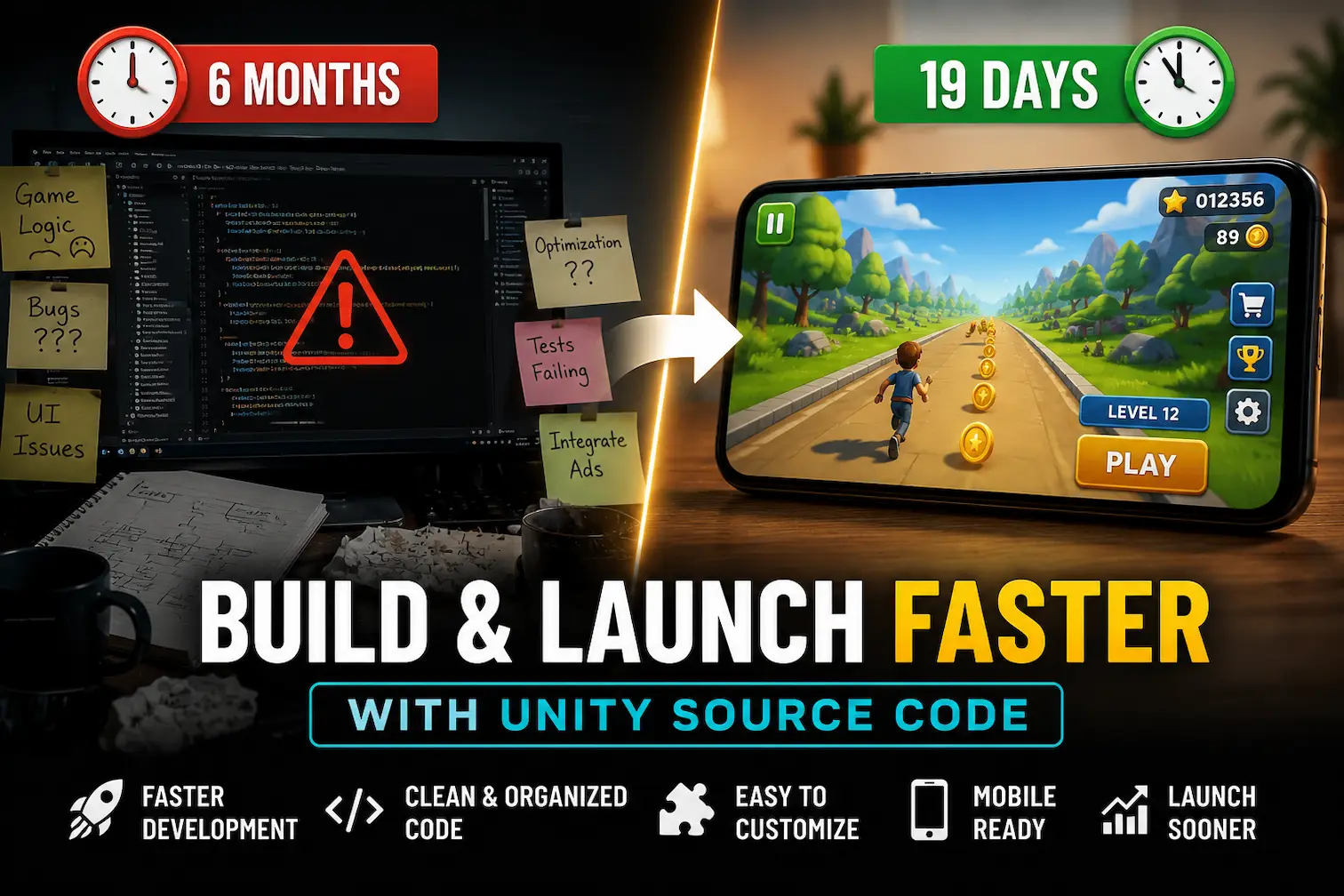
You have a game idea burning in your head. You open Unity, stare at a blank project, and then spend the next three weeks just building a character controller, a UI system, and a level loader — before writing a single line of actual game logic.
That's not development. That's reinventing the wheel.
The mobile gaming market crossed $100 billion in revenue, and the developers winning that market aren't the ones spending six months on boilerplate code. They're the ones who start smart — with Unity source code as a foundation — and spend their time where it actually matters: game design, monetization, and user experience.
This article breaks down exactly why using ready-made Unity source code cuts your launch time dramatically, what it looks like in practice, and how real developers are using it to ship games in weeks instead of years.
Before we talk speed, let's be honest about what "building from scratch" actually costs.
A standard hyper-casual mobile game requires: a physics or movement system, UI screens (main menu, pause, game over, settings), an ad integration layer (banner, interstitial, rewarded), a scene management system, audio management, and at minimum 4–6 levels of content. On average, a solo developer spends 3 to 5 months reaching a publishable state — and that's before App Store review, QA testing, or marketing.
For context: the average hyper-casual game has a market window of 8 to 12 weeks before player interest drops. If you spend 5 months building, you've already missed the trend.
This is the core problem Unity source code solves — not convenience, but competitive timing.
If you want to understand this trade-off in depth, read our comparison: Unity Source Code vs Building a Game From Scratch: Which Is Better?
Unity source code is not a plugin. It's not a drag-and-drop asset pack. It's a complete, playable Unity game project — with every script, scene, UI canvas, audio file, animation, and game mechanic already wired together and working.
You get the full C# codebase. You get the hierarchy. You get the ad placeholders. You get the level system.
What that means practically: instead of writing a match-3 puzzle system from scratch (typically 3–4 weeks of work), you start with a fully functional one, and spend your time changing the art, adjusting difficulty curves, adding your own branding, and integrating your AdMob publisher ID.
The distinction matters. You're not buying a template that "looks like a game." You're buying a working game that you transform into your game.
Let's make this concrete.
Developer background: Mid-level Unity developer, working solo, no dedicated designer. Goal: publish a puzzle game on Android and generate passive ad revenue.
The old approach (estimated): Building a color-sorting puzzle game from scratch — 14 weeks minimum. Custom puzzle logic, UI flow, level editor, AdMob rewarded ads, IAP setup. Budget: $0 but 560+ hours of development time.
The new approach: He purchased the Color Blast Mania – Match Puzzle Game source code.
Week 1: Studied the existing code structure, replaced all placeholder art with custom assets, changed color palettes and UI fonts to match his target aesthetic.
Week 2: Added 20 custom levels using the existing level editor system, replaced AdMob IDs with his own, set up Google Play Developer account, configured signing keys.
Week 3 (Days 15–19): Submitted to Google Play, went through review, published. Game live.
Result: Live on Google Play in 19 days. No team. No external budget for development. The game generated its first ad revenue within 48 hours of going live.
This is not a fantasy scenario. This is what Unity source code enables when used with intent and a clear production plan.
This is where 80% of solo developers get stuck. Building a functional, bug-free game loop (spawn → play → end → restart) that handles edge cases, scene transitions, and state management cleanly takes weeks.
With source code, this system already exists. It's tested. It works across devices. You inherit the architecture without building it.
Mobile UI is deceptively complex — safe areas, notch handling, aspect ratio scaling, button hit detection, canvas layers. A ready-made project like the Card Factory Sort Puzzle 3D Unity Game already includes a complete mobile-optimized UI system built for Android and iOS screen variations.
AdMob integration sounds simple until you're debugging why rewarded ads aren't loading on certain Android versions at 2 AM. Pre-integrated ad systems — with banner, interstitial, and rewarded ad placeholders — eliminate this entirely. You swap the publisher ID and move on.
Real-time multiplayer is one of the most technically demanding features in mobile games. Building a matchmaking system, lobby flow, and real-time sync from scratch is a 2–3 month project on its own.
The Ludo Online Multiplayer Unity Game source code ships with a complete multiplayer system ready for customization — matchmaking, room management, and turn-based real-time logic all included.
Beyond ads, modern mobile games need IAP systems, soft/hard currency logic, and reward systems. These are notoriously difficult to structure cleanly. Source code projects come with monetization architecture already modeled — you configure it, not construct it.
If you're building a one-person studio, your most scarce resource isn't money — it's time. Unity source code gives you a team's worth of prior work at a fraction of the cost. You can realistically ship 3–4 games per year instead of 1.
Tutorials teach concepts. Complete source code projects teach professional architecture. When you open a well-structured Unity project and trace how the game loop connects to the UI manager connects to the ad system, you understand patterns that tutorials can't show you.
Related: Best Unity Source Code Projects for Beginners in 2026
Even mid-size studios use source code as a rapid prototyping tool or to launch secondary titles in parallel with their main development pipeline. A studio building a premium game can simultaneously launch casual mobile titles using source code as the foundation — creating additional revenue streams without pulling engineering resources.
Not all Unity source code is equal. Here's the honest checklist:
Clean, commented C# code — If the code isn't readable, customization becomes a nightmare. Test this by reviewing a few scripts before buying. Look for logical naming conventions and separation of concerns.
Active Unity version support — A project built on Unity 2019 may not compile cleanly on Unity 6. Always check the Unity version and whether the seller maintains updates.
Complete AdMob integration — Banner, interstitial, and rewarded ad placements should already exist. Don't buy a project that requires you to wire ads in manually.
Documentation — A README or setup guide is non-negotiable. Any serious project includes it.
Mobile optimization — The project should target both Android and iOS and handle different screen densities gracefully.
Post-sale support — Game development has bugs. A seller who disappears after purchase is a red flag.
For high-engagement casual formats, the Knife Hit Unity Game Source Code is a strong example — clean code, complete UI flow, and ready for publishing with minimal modification.
Let's talk numbers honestly.
A hyper-casual game with moderate downloads (10,000–50,000 installs) generates between $50–$500/month in ad revenue depending on eCPM, session length, and ad placement quality. That's not life-changing money from one game. But it's compounding.
Ship 4 games in a year using source code as your starting point, and that $50–$500 per title becomes $200–$2,000/month in passive income from a small portfolio. Add idle games — which have naturally high session durations and rewarded ad engagement — and your per-user revenue climbs.
The Idle Market Tycoon Unity Source Code is specifically designed for this model: an idle game with built-in progression loops, soft currency systems, and natural rewarded ad triggers that drive both retention and revenue simultaneously.
For a deeper breakdown of monetization strategies, read: How to Make Money With Unity Games
If you've purchased a Unity source code project and want to get to publishing efficiently, here's the exact sequence:
Step 1 — Environment Setup (Day 1) Install the required Unity version. Open the project, resolve any package warnings, ensure it compiles cleanly on your target platform.
Step 2 — Art Replacement (Days 2–5) Replace all placeholder or generic assets — characters, backgrounds, icons, UI elements. Keep the structure; change the skin.
Step 3 — Level/Content Configuration (Days 6–9) Use the existing level system to build your custom content. Don't redesign the system; work within it. Add your levels, adjust difficulty parameters.
Step 4 — Ad and Monetization Setup (Day 10) Register on AdMob. Create app and ad unit IDs. Replace placeholder IDs in the project. Test ad delivery on a real device.
Step 5 — Branding and Store Assets (Days 11–13) Design your app icon, feature graphic, and screenshots. Write your Play Store description with keyword research. Set your category, content rating, and pricing.
Step 6 — QA Testing (Days 14–16) Test on at least 3 real Android devices. Check for crashes, UI clipping, ad load failures, and audio issues. Fix only critical bugs pre-launch; minor polish can come in updates.
Step 7 — Submit and Launch (Day 17–19) Upload your signed APK or AAB to Google Play Console. Complete the content rating questionnaire. Submit for review. Typical review time: 2–4 days.
Using Unity source code doesn't mean pressing a button and getting a game. It still requires:
Real Unity knowledge to navigate and modify the project. Art or design sense to create a visually distinct product. Market awareness to pick the right genre for current trends. ASO knowledge to rank in the app store. Analytics reading to improve retention after launch.
The source code handles the engineering baseline. You bring the creative direction, business sense, and publishing execution. That combination — reliable technical foundation plus developer creativity — is exactly what produces games that actually succeed on the market.
Explore the full collection of premium, publishable Unity game source codes at Unity Source Code and find the project that fits your next launch.
Speed to market is one of the most underrated competitive advantages in mobile gaming. Trends move fast. Player attention is finite. The developer who can validate an idea and ship a game in three weeks will always outperform the developer who spends six months perfecting a game nobody is searching for anymore.
Unity source code doesn't shortcut the creative process. It shortcuts the repetitive engineering groundwork so your energy goes where it should: building games worth playing.
Start with a strong foundation. Ship faster. Iterate from real data. That's how mobile games get built in 2026.
Explore related reads:



