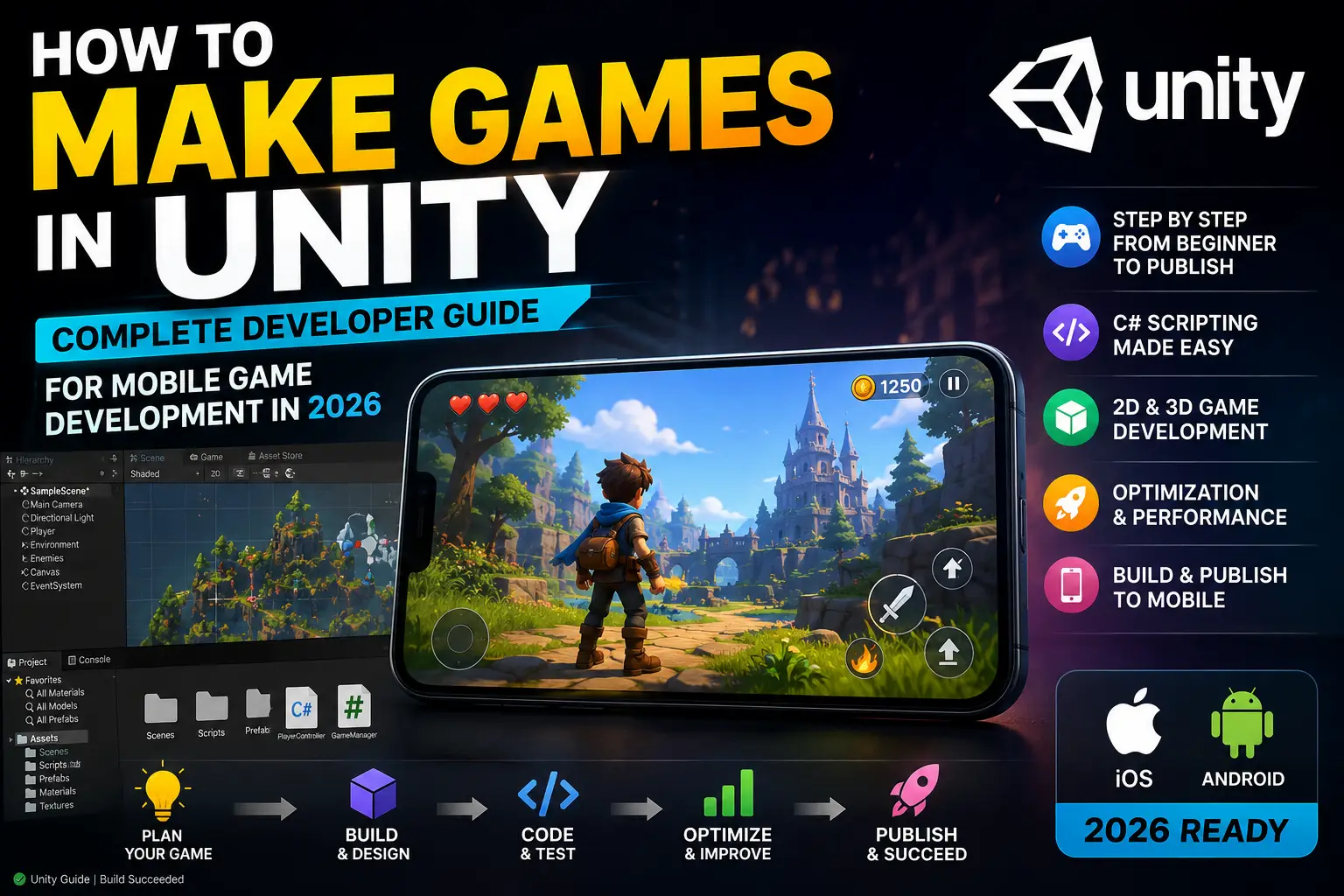
If you have ever searched "how to make games in Unity" and felt overwhelmed after clicking through a dozen half-finished tutorials, you are not alone. Most beginner resources stop at the editor basics. They show you how to place a cube in a scene, write a hello-world script, and then leave you stranded when it comes to building something you can actually publish, monetize, and be proud of.
This guide is different. It covers everything — from downloading Unity for the first time, to publishing your first mobile game on Google Play. It includes real development steps, an honest case study from an indie developer who launched using ready-made source code, five handpicked Unity game templates you can use right now, and clear guidance on how to make your game earn money through AdMob ads.
By the end of this guide you will understand not just how Unity works, but how to use it strategically to build a mobile game business.
Unity has been the engine of choice for indie mobile developers for over a decade, and in 2026 it remains the strongest option available. Here is why:
Cross-Platform from One Codebase. You write your game once and export to Android, iOS, PC, and even WebGL without rewriting any logic. For mobile developers, this means reaching both Google Play and the App Store from a single project.
Beginner-Friendly Editor. Unity's visual editor allows you to place objects, configure physics, and design levels without touching code. When you are ready to write scripts, the C# language is well-documented and widely taught.
Industry-Standard Monetization Support. AdMob integration, Unity IAP for in-app purchases, and third-party ad network SDKs are all first-class citizens in the Unity ecosystem. You do not need to build a monetization layer from scratch.
The Asset Store and Source Code Ecosystem. There are thousands of ready-made templates, tools, and assets that dramatically reduce the time it takes to build a complete game.
A Massive Community. Unity has one of the largest developer communities in the world. Every bug you hit has almost certainly been hit by someone before you — and the solution is usually a forum post away.
Here is the truth that most tutorials skip.
Learning Unity technically — the editor panels, the scripting API, the physics system — is the easy part. The hard part is combining all of those systems into a complete, polished, playable game that performs well on real Android devices and actually earns money.
Most beginners spend months doing the following:
The smarter path — used by thousands of successful indie developers — is to start with a complete, professional Unity source code project, study how it is built, customize it to make it your own, and publish it. You learn faster by reading real professional code than by following beginner tutorials. And you earn faster by launching a complete, polished game than by building something unfinished from scratch.
Go to the official Unity website and download Unity Hub. Unity Hub is the launcher that manages all your Unity versions and projects in one place.
After installation:
Why LTS matters: LTS versions receive bug fixes and patches without introducing new feature changes. Your project will not break when Unity updates.
Open Unity Hub and click New Project.
Choose your template:
Enter your project name, choose a folder location, and click Create Project. Unity will initialize the workspace and open the editor.
The Unity editor is divided into key panels that you will use constantly:
Scene View — Your design canvas. Drag objects, place platforms, position cameras, and lay out levels here.
Game View — A preview of exactly what your player will see on screen. Toggle this to test your game at any time.
Hierarchy Window — Lists every GameObject (object) in the current scene. Think of it as the outline of your game level.
Inspector Panel — Shows all the properties of any selected object. Change position, scale, add components, and edit script values here.
Project Window — Your file system inside Unity. This is where your scripts, textures, audio files, prefabs, and animations live.
Console — Displays errors, warnings, and debug messages from your scripts. You will spend a lot of time here when fixing bugs.
Spending one hour just exploring these panels — clicking on things, moving objects, changing values — teaches you more than a four-hour tutorial video.
Every element in a Unity game is a GameObject. The player character, the camera, enemies, coins, platforms, UI buttons — all of them are GameObjects with different Components attached.
A component is a piece of behaviour. A Rigidbody component gives an object physics. A Collider component makes it solid. A Script component gives it custom logic.
To add a GameObject:
For mobile games, keep your scene hierarchy organized from the start. Group related objects (enemies, platforms, UI) into empty parent GameObjects. This makes optimization and debugging much easier later.
Unity uses C# for scripting. You do not need to be a C# expert to start, but understanding the basics is essential.
The most important concepts for Unity beginners:
Here is a simple player movement script that works for a mobile game:
csharp
using UnityEngine; public class PlayerController : MonoBehaviour { public float moveSpeed = 5f; public float jumpForce = 8f; private Rigidbody2D rb; private bool isGrounded; void Start() { rb = GetComponent<Rigidbody2D>(); } void Update() { // Horizontal movement float horizontalInput = Input.GetAxis("Horizontal"); rb.velocity = new Vector2(horizontalInput * moveSpeed, rb.velocity.y); // Jump on tap (mobile) if (Input.GetMouseButtonDown(0) && isGrounded) { rb.AddForce(Vector2.up * jumpForce, ForceMode2D.Impulse); } } void OnCollisionEnter2D(Collision2D col) { if (col.gameObject.CompareTag("Ground")) isGrounded = true; } void OnCollisionExit2D(Collision2D col) { if (col.gameObject.CompareTag("Ground")) isGrounded = false; } }
Attach this script to your player object by dragging it onto the Inspector panel.
The gameplay loop is the cycle of actions a player repeats while playing your game. For mobile games, a well-designed loop is the single most important factor for retention — and retention is what drives ad revenue.
A strong mobile gameplay loop has:
Popular mobile gameplay loops:
The simpler the core mechanic, the more players it reaches. Complexity should come from depth, not from the controls.
Your game's user interface includes the main menu, pause screen, settings panel, game over screen, coin counter, and any in-game HUD elements.
Unity's Canvas system handles all UI. Key tips for mobile-optimized UI:
Good UI is invisible. The player should never have to think about where a button is or what it does.
Sound and animation are what separate a game that feels like a prototype from one that feels like a product.
Audio essentials:
Animation essentials:
Unity's Animator system uses a state machine approach — you define animation states (Idle, Run, Jump) and set the transitions between them. Blend trees allow smooth transitions based on speed or direction values.
Android optimization is the area where most beginner Unity developers lose the most users. A game that runs perfectly in the Unity editor on your PC can drop to 20 FPS on a budget Android phone — which earns you 1-star reviews and kills retention before ads have a chance to generate revenue.
Essential optimization practices:
Texture Compression — Use ETC2 format for Android. Compress all textures and use texture atlases to batch similar sprites into a single draw call.
Object Pooling — Instead of creating and destroying bullets, coins, or enemies every frame, pre-create a pool of objects and recycle them. This eliminates garbage collection spikes.
Draw Call Reduction — Every material on screen is a draw call. Combine meshes and use texture atlases to minimize the number of draw calls per frame.
Lighting — Bake static lights whenever possible. Avoid real-time dynamic lighting on mobile. A single directional light with baked shadows is the standard approach for performance.
Scripting — Avoid calling GetComponent<>() in Update(). Cache component references in Start() instead. Remove empty Update() methods from scripts that don't need them.
Target Frame Rate — Set Application.targetFrameRate = 60 in your initialization code. Without this, Unity defaults to 30 FPS or renders uncapped, draining battery.
Most free Unity mobile games on Google Play earn revenue through Google AdMob. Here is the correct integration flow:
1. Create an AdMob Account Go to admob.google.com and create an account. Add your app and generate Ad Unit IDs for each ad format you plan to use.
2. Download the Google Mobile Ads Unity Plugin Available through the Unity Package Manager or the Google developers site. Import it into your project.
3. Initialize AdMob Before Loading Ads
csharp
using GoogleMobileAds.Api; public class AdManager : MonoBehaviour { void Start() { MobileAds.Initialize(initStatus => { Debug.Log("AdMob Initialized"); LoadRewardedAd(); LoadInterstitialAd(); }); } }
4. Rewarded Ad Placement Rules
5. Interstitial Ad Placement Rules
6. Banner Ad Placement
Once your game is tested and ready:
Review typically takes 1–3 days for new apps. Once approved, your game is live on Google Play for anyone in the world to download.
Here is an honest case study based on the experience of an indie developer who used a ready-made Unity source code template to launch their first mobile game.
The Developer: Solo developer, 3 months of Unity experience, no published games.
The Goal: Launch a complete, monetized mobile game on Google Play and earn the first AdMob revenue within 30 days.
The Problem: After two months of following beginner tutorials, the developer had no complete game — only disconnected systems and half-built scenes. Building an idle game economy from scratch was taking weeks and introducing subtle bugs in the offline earnings calculation.
The Decision: Purchase a complete idle tycoon Unity source code template with AdMob pre-integrated.
Week 1 — Study and Customize: The developer spent three days reading through the template's scripts before touching anything. Understanding how the economy system, prestige mechanics, and save state were architected was more valuable than any tutorial. Then they replaced all assets — UI, icons, color palette, and audio — to create a distinctive theme around a bakery tycoon instead of the original market theme.
Week 2 — AdMob Configuration and Testing: The AdMob integration was already in the template. The developer replaced the placeholder Ad Unit IDs with their own, tested rewarded ad placements in the offline earnings multiplier screen, and adjusted interstitial frequency to one per three minutes of gameplay.
Week 3 — Optimization and Beta Testing: Tested on four Android devices including a budget $80 phone. Fixed one texture compression issue that caused a memory warning on lower-end devices. Achieved stable 60 FPS across all test devices.
Week 4 — Launch: Submitted to Google Play on Day 22. Approved on Day 24. First AdMob impression on Day 24, first revenue on Day 25.
Results at Day 28:
The lesson: The template did not make the game for this developer. They still did real creative work — the theme, the branding, the customization, the optimization. But starting from a complete, tested foundation meant they launched in 28 days instead of 6 months. And they learned more by studying real professional code for one week than they had from two months of tutorial videos.
The following five games are available at Unity Source Code and represent some of the strongest options for developers who want to launch fast and earn from AdMob. These are different from the standard templates — each one covers a genre with strong retention and proven revenue potential.
Genre: Arcade / Reflex Skill Game
Why it earns:
Knife Hit-style games are built around simple one-tap gameplay that anyone can understand within seconds. Players must throw knives at rotating targets while avoiding previously placed blades, creating an addictive “just one more try” experience. The increasing difficulty curve keeps players engaged and encourages repeat sessions.
This genre performs exceptionally well with rewarded ads because players are often willing to watch videos for extra lives, second chances, or bonus rewards after narrowly failing a level. The short gameplay sessions also make interstitial ads feel natural without disrupting the player experience.
→ Explore Knife Hit Unity Game Template
Genre: Idle Tycoon / Business Simulation
Why it earns:
Idle Market Tycoon combines the highly profitable idle game formula with business management mechanics. Players expand their market, unlock new departments, hire managers, and automate operations to maximize profits. The constant progression gives players a strong reason to return multiple times per day.
Idle games are among the best-performing genres for rewarded video ads because players frequently watch ads to speed up production, double earnings, or unlock premium boosts. The offline income system also encourages daily engagement and long-term retention.
This template includes automated management systems, upgrade mechanics, income balancing, multiple business areas, and complete monetization support. Tycoon games consistently attract players who enjoy progression and optimization, making them one of the strongest categories for long-term AdMob revenue.
→ Explore Idle Market Tycoon Unity Source Code
Genre: Puzzle / Brain Training
Why it earns:
Snake Escape challenges players to guide a snake through increasingly complex puzzle layouts. The gameplay is easy to understand but becomes progressively more difficult, creating the perfect balance between accessibility and challenge. This combination helps maintain strong player retention across hundreds of levels.
Puzzle players are highly likely to use rewarded ads for hints, extra moves, or level skips when they become stuck. Since puzzle games are typically played in short sessions throughout the day, they generate consistent ad impressions without requiring large amounts of content.
→ Explore Snake Escape Puzzle Unity Game Source Code
Genre: Multiplayer Board Game
Why it earns:
Ludo remains one of the most popular board games worldwide, particularly in India, the Middle East, and Southeast Asia. Multiplayer competition creates a powerful retention loop because players return regularly to challenge friends and participate in matches.
Board game audiences tend to have longer session times and higher engagement compared to many casual genres. Every match provides multiple opportunities for rewarded ads, while daily rewards and progression systems help increase player lifetime value.
→ Explore Ludo Online Multiplayer Game – Unity 3D Source Code
Genre: Match Puzzle / Casual Game
Why it earns:
Color Blast Mania follows the proven match-puzzle formula that has generated billions of downloads across mobile platforms. Matching colorful elements creates satisfying visual feedback while gradually introducing new objectives and challenges that keep gameplay fresh.
Players frequently use boosters, hints, and extra moves to complete difficult levels, making rewarded video ads a natural monetization method. The level-based progression system also creates strong retention as players work toward unlocking new stages and achievements.
→ Explore Color Blast Mania Match Puzzle Game
Before you launch your first Unity game, these two resources from the Unity Source Code blog will save you significant time and money:
If you want to understand which game categories are earning the most from AdMob right now, and why genre selection is the most important decision you make before writing a single line of code, read:
→ Top Racing Game Source Codes in Unity – 2026 Guide
This guide covers why racing games remain one of the most profitable and downloaded categories in mobile gaming, from realistic car simulators to arcade-style stunt racers — and how Unity makes it easier than ever to build and publish them across Android, iOS, and PC.
If you want a step-by-step breakdown of how to actually earn money from Unity games using AdMob — including the best game types, ad placement strategies, and which monetization approaches generate the most revenue per install — read:
→ How to Make Money with Unity Games Using AdMob (Step-by-Step Guide)
This is the most practical monetization guide on the site. It pairs genre analysis with real AdMob placement patterns and explains which game types generate the highest eCPMs in 2026.
Is Unity free to use for mobile game development? Yes. Unity's Personal and Student plans are free for developers earning under $100,000 per year. This covers the vast majority of indie developers and solo studios.
Do I need strong programming skills to make a Unity game? Basic C# knowledge is helpful, but not required to get started. Many professional templates include clean, well-commented code that teaches you by example. You can customize and launch a complete game while learning C# progressively.
How long does it realistically take to build a Unity game? A hyper casual or puzzle game built from a quality template can take 3–6 weeks to customize, test, and publish. Building from scratch with no prior Unity experience can take 3–6 months for a simple game. The difference in time is where most beginners get discouraged.
What is the best way to earn money from a Unity game? For most indie mobile games, the combination of rewarded video ads (highest eCPM) + interstitial ads (volume-based) + in-app purchases (optional premium content) generates the best results. Rewarded video typically earns 3–5x more per impression than interstitials and should be your primary focus.
Can I publish a Unity game template directly on Google Play? You should always customize a template before publishing — change the theme, art, audio, and branding to create a unique product. Publishing an unmodified template is against most platform terms of service and creates poor store performance due to duplicate content.
What Android devices should I test on before publishing? Test on at least three real Android devices: one high-end (Snapdragon 8xx), one mid-range (Snapdragon 6xx), and one budget device (under $100). Performance issues almost never appear on high-end devices but consistently appear on the budget phones that represent the majority of installs in most markets.
Learning how to make games in Unity in 2026 is not a single skill — it is a combination of design thinking, technical knowledge, optimization discipline, and marketing awareness.
The developers who launch successfully and generate sustainable revenue do not necessarily have more talent than those who struggle. They have a better process:
If you are ready to start, explore the full template collection at Unity Source Code — complete Unity game projects across every major genre, with AdMob pre-integrated, device-tested, and ready for you to customize and launch.
The fastest way to learn is to launch something real.



