
If you're a game developer, indie studio, or entrepreneur looking to launch a mobile game fast, buying Unity source code instead of building from scratch is one of the smartest shortcuts in the industry. It saves months of development time, reduces your budget burn, and lets you focus on marketing, monetization, and growth instead of reinventing core mechanics.
But here's the catch: not all Unity source code is created equal. Some packages are clean, well-documented, and production-ready. Others are messy, outdated, or riddled with bugs that will cost you more time to fix than if you'd built the game yourself.
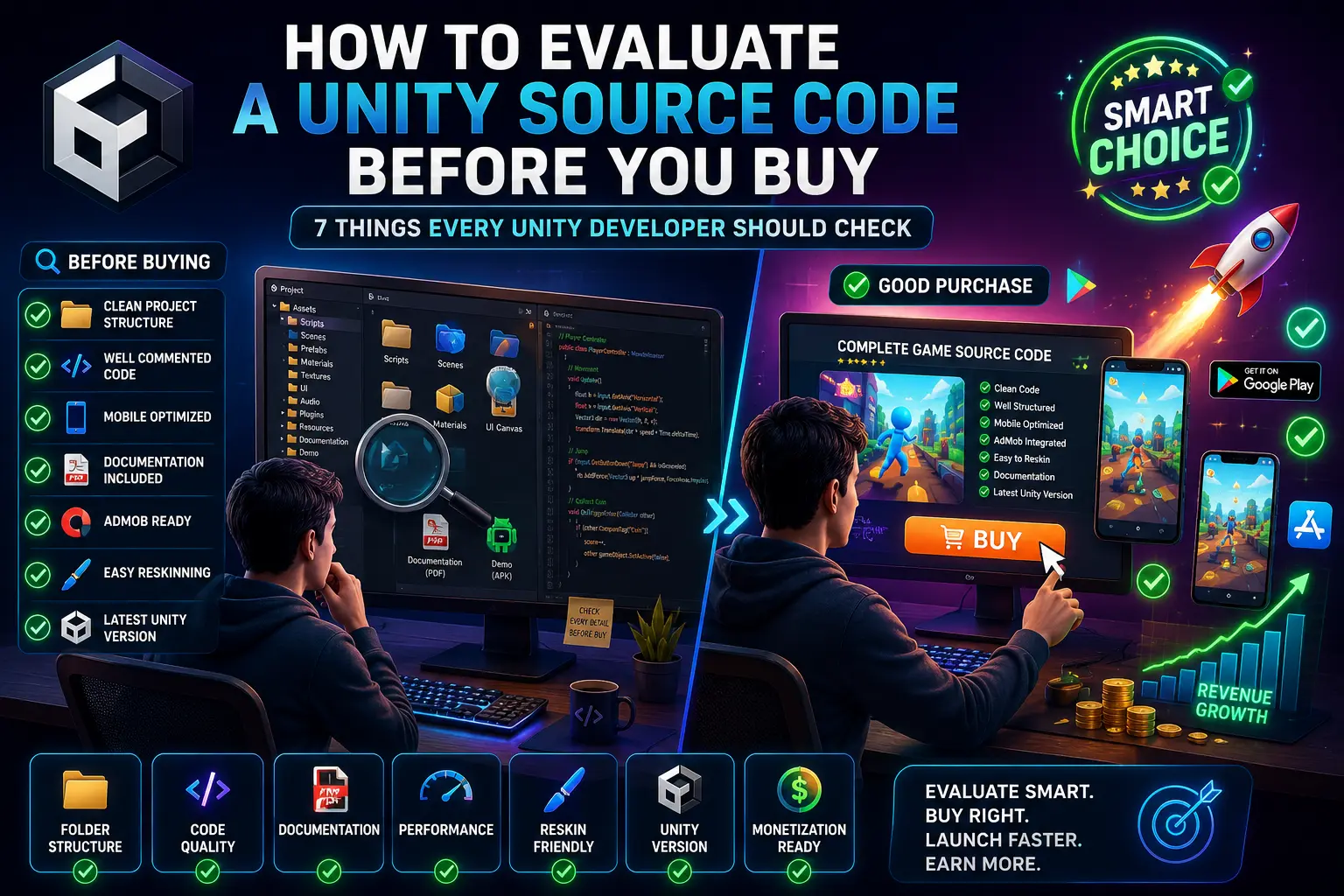
So how do you separate a high-quality Unity project from a risky purchase? In this guide, we'll walk you through 7 essential things to check before you buy Unity source code
Before diving into the checklist, it's worth understanding why so many developers and publishers choose ready-made Unity source code over building from zero:
That said, the benefits only materialize if the source code you buy is actually good. If you're still weighing whether to buy source code or build using Unity's own asset ecosystem, this comparison of the Unity Asset Store vs ready-made source code breaks down the pros and cons of each route in detail.
Now, let's get into the 7 things you absolutely need to check before handing over your money.
This is the single most important factor, yet it's the one most buyers skip because they can't "see" it without opening the project.
Poorly structured code might work perfectly in a demo but become a nightmare the moment you try to add a new level type, a new monetization SDK, or simply fix a bug. Clean architecture is what allows you (or your future developer) to extend the game affordably.
Tip: Ask the seller for a few sample scripts before purchasing, or check if they offer a preview of the project's folder structure. Reputable Unity source code providers are usually happy to share this.
Unity releases new versions frequently, and not every project ages well.
Buying source code built on an ancient Unity version can mean hours (or days) of upgrade work before you can even open the project properly, let alone publish it. Always confirm the Unity Editor version required, and check if the seller provides updates when Unity or the app stores change their requirements.
A brilliant piece of code is nearly useless if you don't know how to set it up, configure it, or customize it.
Even experienced Unity developers can waste hours reverse-engineering a project with zero documentation. Good documentation is often a strong signal that the whole product was built with care — sellers who write clear setup guides tend to also write cleaner code.
If you're specifically shopping for puzzle mechanics, it's worth comparing a few options first. This roundup of best puzzle game source codes in Unity is a good starting point to see which titles come with strong documentation and support.
This is a step many buyers overlook — and it can have serious legal and financial consequences.
Publishing an app built on improperly licensed assets can lead to takedown notices, copyright strikes, or even legal action. Always read the license agreement carefully, and if it isn't clearly stated on the product page, ask the seller directly before purchasing.
Most buyers purchase Unity source code with the intent to monetize it — whether through ads, in-app purchases, or both. So it's critical to check how monetization is (or isn't) implemented.
Choosing the right monetization mix is its own strategic decision, and it can make or break your revenue. If you're unsure whether to lean on ads, IAPs, or a hybrid model, this detailed comparison of in-app purchases vs ad revenue for Unity games is worth reading before you finalize your monetization plan.
Retrofitting monetization into a project that wasn't designed for it can be surprisingly time-consuming, especially if the game loop, UI, and scene flow weren't built with ad placements or purchase flows in mind. Buying a project that's monetization-ready from day one saves you significant integration effort.
Games that keep players coming back tend to include some form of competitive or reward-based engagement system.
If leaderboards and achievements aren't already included in the project you're considering, don't worry — it's a common addition. This guide on how to add leaderboards and achievements to a Unity game walks through the process step by step.
Retention features directly affect your Day 1, Day 7, and Day 30 retention rates — key metrics that ad networks, publishers, and investors look at. A source code that already supports these features (or makes it easy to add them) gives you a competitive edge.
Finally, evaluate the human side of the purchase: who you're buying from, and what happens after you pay.
Buying source code isn't a one-time transaction if things go wrong — you may need clarification on setup, help with a bug, or an update when Unity changes its build requirements. A seller who stands behind their product after the sale is worth far more than a slightly cheaper option with no support.
If a marketplace offers a demo build, gameplay video, or downloadable APK, always test it before buying. Play through the game as a real user would:
A great-looking store page doesn't always match the actual in-game experience, so hands-on testing (where possible) is one of the best due-diligence steps you can take.
Buying Unity source code can be one of the fastest, most cost-effective ways to launch a mobile game — but only if you buy smart. By checking code quality, Unity version compatibility, documentation, licensing, monetization readiness, engagement features, and seller support, you dramatically reduce the risk of ending up with a broken, outdated, or legally risky product.
Whether you're eyeing a match-3 title like Tile World, a classic Block Puzzle Game, or browsing the full catalog on the Unity Source Code, running through this 7-point checklist will help you invest in a project that's actually ready to launch — not one that creates more work than it saves.
Yes, as long as you buy from reputable sellers with verifiable reviews, clear licensing terms, and responsive support. Always check the seller's track record and read the license agreement carefully before purchasing.
Ideally, choose a project built on a recent Unity LTS (Long Term Support) version. This ensures better stability, easier updates, and smoother compatibility with current App Store and Play Store requirements.
Basic Unity and C# familiarity is helpful for customization (changing assets, branding, and settings), but you don't need to be an expert developer if the project comes with clear documentation. For deeper changes, you may want to hire a Unity developer.
This depends entirely on the license you purchase. Some licenses allow multiple reskins and republishes, while others are limited to a single use. Always confirm this with the seller before buying.
Both approaches have merit depending on your goals. Ready-made source code gives you a complete, functional game faster, while the Unity Asset Store offers more flexibility to build custom mechanics. Check out our full breakdown of Unity Asset Store vs ready-made source code to decide which fits your project.
Check the product description or ask the seller whether ad networks (like AdMob or Unity Ads) and in-app purchase systems are pre-integrated. If not, you'll need to add them yourself or hire someone to do it. Learn more about choosing the right approach in our guide on in-app purchases vs ad revenue.
This varies by seller, but typically includes the full Unity project files, scripts, assets (art, sound, UI), and documentation. Some sellers also include admin panels, backend configs, or SDK integration guides. Always check the product listing for specifics.
Yes, in most cases. Even if a project doesn't include leaderboards or achievements out of the box, they can usually be added without major rework. Here's a step-by-step guide on how to add leaderboards and achievements to your Unity game.
Prices vary widely based on complexity, polish, and included features — ranging from budget-friendly hyper-casual templates to premium, fully-monetized game packages. Compare a few listings, like Screw the Pin or 3D Helix Jump, to get a sense of typical pricing for different game types.



