
We’re here to help with answers to your most frequently asked questions about this product.
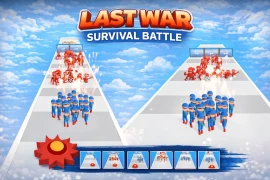
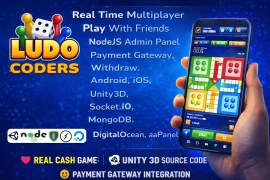
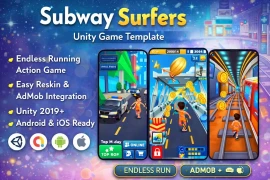
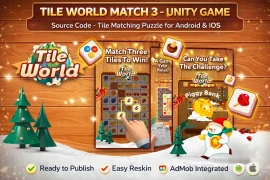
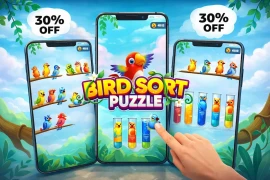
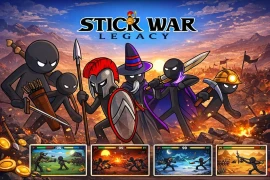
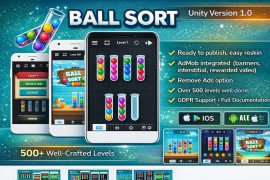
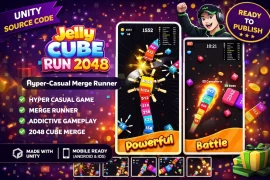
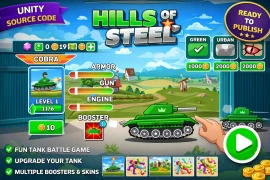
This collection covers the most popular mobile game genres actively earning revenue on the App Store and Google Play in 2026. You will find puzzle games including color sort, block sort, hexa puzzle, screw puzzle, and match-3 mechanics. Runner games such as subway runner and crowd runner templates are available for action-focused audiences. Multiplayer board games including Ludo with real-time online play and cash payment integration are part of the collection. Idle and simulation games such as idle market tycoon and farming fever cover the passive gameplay category. Arcade games, word puzzle games, and hyper-casual mini-game packs round out the library. Whether you are targeting casual players or competitive gaming audiences, there is a genre-matched template ready to customize and publish.
Pricing varies based on game complexity, feature set, and license type. Simple hyper-casual and puzzle templates start from $19, making them accessible for beginners and developers testing a new game idea with minimal investment. Mid-range templates with more advanced mechanics, UI systems, and monetization integration typically fall between $35 and $99. Complex projects such as multiplayer games with real-time networking, payment gateway integration, or large-scale simulation systems are priced between $149 and $1,999 depending on scope. Flash sale and discount pricing are regularly available, with some templates discounted by 50 to 75 percent from their standard price. Free items with AdMob integration are also available for download after registration, allowing developers to explore the codebase quality before making a paid purchase.
Each purchase includes the complete Unity project folder with all C# scripts, scenes, prefabs, and assets needed to build and run the game in the Unity editor. Most packages also include a compiled APK for testing the game on an Android device before modifying anything. PNG and image assets used in the UI and gameplay are included so you can replace or modify visual elements. Documentation covering project structure, how to set up AdMob IDs, and how to build for Android or iOS is included with most packages. Some packages include GUI kits with additional UI components. You can verify exactly what is included in each listing under the Product Information section, which lists specific package contents before purchase.
Most projects on this platform are built and tested with Unity LTS (Long Term Support) versions to ensure maximum stability across devices. Individual product pages list the specific Unity version each project was created and last tested with. It is recommended to open the project in the same Unity version listed, or the next available LTS version, to avoid compatibility warnings from deprecated APIs or missing package references. All projects are actively maintained and updated when significant Unity version changes affect compatibility. The last update date on each product page tells you how recently the project was checked against current Unity versions, which is a useful signal before purchasing.
Yes, every source code project on this platform is built for cross-platform mobile deployment targeting both Android and iOS. The projects are configured for Android builds by default, with iOS deployment requiring a Mac machine with Xcode installed, which is Apple's standard requirement for any iOS app submission. Before submitting to either store, you need to complete the reskin process: replace the original art, rename the game, create your own app icon and store screenshots, update the bundle ID, and connect your own AdMob publisher account. Submitting a template with the original branding unchanged is the primary reason app store submissions get rejected, not the use of source code itself. After proper customization the game is treated as your own original product by both platforms.
Basic Unity familiarity is helpful but not required for reskinning and publishing. Most templates are designed so that developers can swap art assets, update AdMob IDs, change level parameters, and adjust UI colors without touching the C# scripts at all. These tasks are handled through the Unity Inspector and asset replacement, not through code editing. For deeper customization such as adding new game mechanics, changing progression systems, or integrating additional SDKs, working knowledge of C# and Unity's component system is needed. Beginners who want to learn while customizing will find these projects valuable study material since the scripts are organized, named consistently, and structured around patterns used in real published mobile games rather than simplified tutorial examples.
For a straightforward reskin involving art replacement, color theme changes, and AdMob account connection, most developers complete the process in three to seven days. This includes creating new app store screenshots, writing the store listing description, and going through the Google Play or App Store review process, which typically takes one to three days after submission. More involved customizations such as adding new levels, changing game mechanics, or integrating a new feature can extend the timeline to two to four weeks depending on scope and the developer's experience level. The advantage of starting from a finished template is that this entire timeline is significantly shorter than building the same game from scratch, where the core systems alone typically take four to eight weeks before any publishing-related work can begin.
Yes, all projects listed on this platform are tested for performance and stability on real Android devices before being made available for purchase. Testing covers frame rate stability, ad loading behavior, touch control responsiveness, and scene transition performance on both mid-range and older devices, since the majority of mobile game players use devices that are two to four years old rather than the latest flagship hardware. The product page for each template lists the specific Android versions it was verified against. If you encounter a performance issue on a specific device after purchase, the support team is available to assist with optimization guidance.
The Regular License allows you to use the source code to create and publish a single mobile game application for end users who are not charged to access the application itself, meaning free-to-play with ad monetization is covered under this license. The Extended License covers applications where end users pay to download or access the application, such as a paid app on the App Store, or where the source code is used as part of a product sold to a client. If you are a freelancer delivering a customized game to a paying client, or publishing a premium paid app, you need the Extended License. When in doubt about which license fits your specific use case, contact the support team before purchasing to get a clear answer for your situation.
Every purchase includes a support period, with the standard package covering three months of support and the extended package covering six months. Support covers technical issues with the source code itself, guidance on setting up the project in Unity, help with AdMob integration and configuration, and assistance with build errors related to the original project code. Support does not cover custom feature development or modifications beyond the original project scope, which falls under the separate Customization service available on the website. For urgent issues, the team is reachable via WhatsApp, email, and Microsoft Teams. A reskinning service is also available separately if you want the visual customization handled professionally rather than doing it yourself.